









Our six senior AI creative experts strategise, advise and review your work, right on the page. Just like a real team.
In 2026, the question of how to improve a website is no longer answered by simply compressing images or tweaking keyword density. It is now a multi-dimensional engineering and design challenge defined by three hard realities: the full enforcement of the European Accessibility Act (EAA) as of June 2025, the dominance of Interaction to Next Paint (INP) as the primary performance metric, and the shift in Google’s search algorithms toward “Information Gain.”
Improving a website today requires breaking down the silos between design, development, and content teams. A site that looks beautiful but fails WCAG 2.2 standards is now a direct legal liability for any business trading in the EU. A site that loads content quickly but freezes for 300ms when a user clicks “Add to Cart” is a conversion killer. This guide prioritizes the metrics and methodologies that matter right now, moving you from a functional site to a high-performance asset.
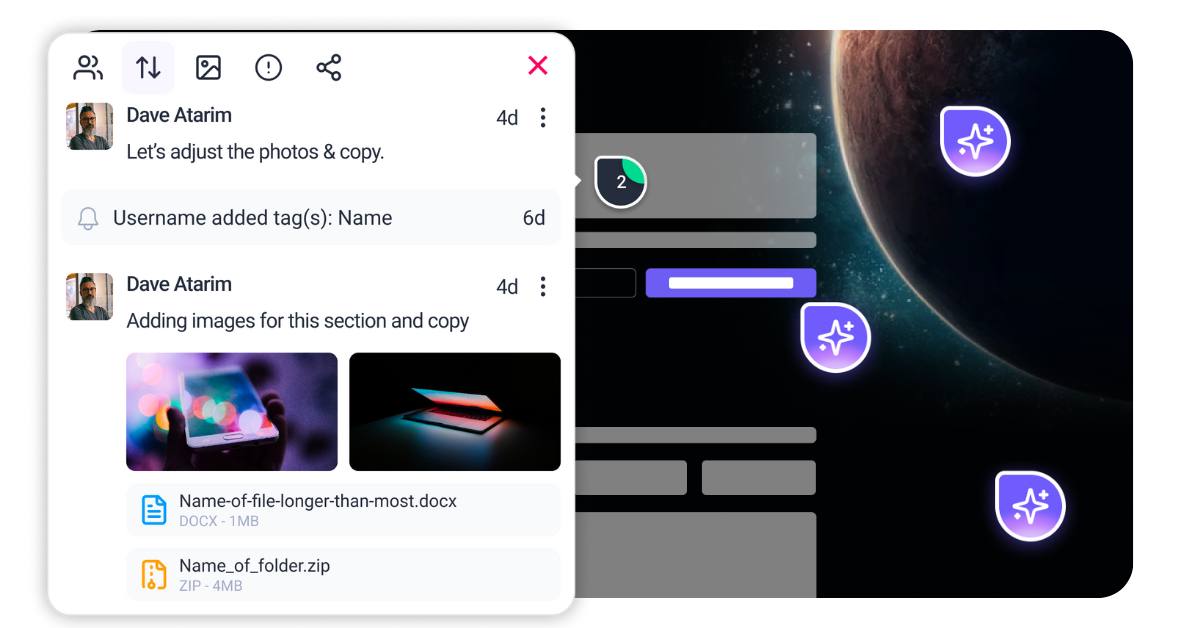
Atarim acts as the central nervous system for this improvement process. Instead of managing accessibility fixes in spreadsheets and performance tweaks in Jira, Atarim brings your entire workflow into one visual layer. Whether it’s enabling Index to monitor your Core Web Vitals or having Navi identify critical accessibility failures before they become lawsuits, Atarim unifies the chaotic process of modern web optimization.
Before you change a single line of code, you must audit your site against the standards of 2026. Randomly applying “best practices” without a diagnosis is inefficient. You need to look at your website through three distinct lenses to understand exactly how to improve a website effectively.
While loading speed (LCP) remains relevant, the critical metric in 2026 is Interaction to Next Paint (INP). This measures the time it takes for your page to visually respond to a user’s input—clicks, taps, and key presses—throughout the entire lifespan of the page. Since replacing First Input Delay (FID) in 2024, INP has become the primary indicator of whether a site feels “broken” or “snappy.”
You must analyze your field data (Real User Monitoring) rather than just lab data. Tools like the Chrome User Experience Report (CrUX) provide this historical data. You are looking for the 75th percentile of interactions to stay under 200 milliseconds. If your analytics show that mobile users on 4G networks are experiencing delays of 300ms or more, you have identified your highest priority fix.
Accessibility is no longer optional. With the EAA fully enforceable since mid-2025, your audit must cover the WCAG 2.2 success criteria. This goes beyond basic alt text. You must analyze “Focus Appearance” (is the keyboard highlight visible enough?), “Target Size” (can a finger hit the button easily without zooming?), and “Dragging Movements.”
Automated tools like Axe or Lighthouse catch only about 30-40% of errors. To truly understand how to improve a website for inclusivity, a manual keyboard-only navigation test is essential. Open your site, put your mouse away, and try to navigate through your checkout flow using only the Tab and Enter keys. If you get stuck, your users will too.
setTimeout or the newer scheduler.yield() to break up long tasks.
async function handleClick() {
  doCriticalWork();
  await scheduler.yield(); // Lets the browser paint the button state
  doHeavyBackgroundWork();
}requestIdleCallback fires, ensuring they don’t clog the main thread during critical interaction windows.Tab repeatedly. If you cannot visually track where you are on the page, you have a failure. Navi can also flag these invisible barriers automatically. a, button, input) has a :focus-visible state defined in your global stylesheet.:focus-visible {
outline: 2px solid #005fcc;
outline-offset: 2px; /* Ensures contrast against the element itself */
}width and height attributes on images and video embeds. Modern browsers use these to calculate the aspect ratio before the image loads.min-height container in CSS so the layout doesn’t jump when the content injects.
.ad-slot { min-height: 250px; background: #f0f0f0; }.font-display: swap to prevent “Flash of Invisible Text” (FOIT) which can cause reflows when the custom font finally renders.padding around it to increase the clickable area without changing the design aesthetic..mobile-nav-link {
padding: 12px; /* Increases tap area */
margin-bottom: 8px; /* Prevents accidental overlap */
}<script type="speculationrules">
{
"prerender": [
{
"source": "list",
"urls": ["/next-page", "/checkout"],
"eagerness": "moderate"
}
]
}
</script><link rel="prefetch"> and is natively supported in all Chromium browsers. .tooltip {
position-anchor: --my-button;
top: anchor(bottom);
left: anchor(center);
}



| Cookie | Duration | Description |
|---|---|---|
| __stripe_mid | 1 year | This cookie is set by Stripe payment gateway. This cookie is used to enable payment on the website without storing any patment information on a server. |
| __stripe_sid | 30 minutes | This cookie is set by Stripe payment gateway. This cookie is used to enable payment on the website without storing any patment information on a server. |
| cookielawinfo-checkbox-advertisement | 1 year | The cookie is set by GDPR cookie consent to record the user consent for the cookies in the category "Advertisement". |
| cookielawinfo-checkbox-analytics | 11 months | This cookie is set by GDPR Cookie Consent plugin. The cookie is used to store the user consent for the cookies in the category "Analytics". |
| cookielawinfo-checkbox-functional | 11 months | The cookie is set by GDPR cookie consent to record the user consent for the cookies in the category "Functional". |
| cookielawinfo-checkbox-necessary | 11 months | This cookie is set by GDPR Cookie Consent plugin. The cookies is used to store the user consent for the cookies in the category "Necessary". |
| cookielawinfo-checkbox-others | 11 months | This cookie is set by GDPR Cookie Consent plugin. The cookie is used to store the user consent for the cookies in the category "Other. |
| cookielawinfo-checkbox-performance | 11 months | This cookie is set by GDPR Cookie Consent plugin. The cookie is used to store the user consent for the cookies in the category "Performance". |
| elementor | never | This cookie is used by the website's WordPress theme. It allows the website owner to implement or change the website's content in real-time. |
| PHPSESSID | session | This cookie is native to PHP applications. The cookie is used to store and identify a users' unique session ID for the purpose of managing user session on the website. The cookie is a session cookies and is deleted when all the browser windows are closed. |
| viewed_cookie_policy | 11 months | The cookie is set by the GDPR Cookie Consent plugin and is used to store whether or not user has consented to the use of cookies. It does not store any personal data. |
| wordpress_test_cookie | session | This cookie is used to check if the cookies are enabled on the users' browser. |
| Cookie | Duration | Description |
|---|---|---|
| aka_debug | session | This cookie is set by the provider Vimeo.This cookie is essential for the website to play video functionality. The cookie collects statistical information like how many times the video is displayed and what settings are used for playback. |
| bp_user-registered | 13 years 8 months 8 days | This cookie is used to set which users can access the private pages of the website. It is a functional cookie. |
| bp_user-role | 13 years 8 months 8 days | This is a functional cookie. It is used to set restriction to the user on acessing certain pages like back office, account page etc. |
| bp_ut_session | 13 years 8 months 8 days | This is a functional cookie. This cookie is used to set restriction to the user on acessing certain pages like back office, account page etc. |
| player | 1 year | This cookie is used by Vimeo. This cookie is used to save the user's preferences when playing embedded videos from Vimeo. |
| Cookie | Duration | Description |
|---|---|---|
| _fs | 16 years 4 months 18 days 5 hours 26 minutes | This cookie is provided by Google Tag Manager. This cookie is used for collecting information on user preferences and the behaviour with web campaign content. This is used by website owners for promoting products and events. |
| Cookie | Duration | Description |
|---|---|---|
| _ga | 2 years | This cookie is installed by Google Analytics. The cookie is used to calculate visitor, session, campaign data and keep track of site usage for the site's analytics report. The cookies store information anonymously and assign a randomly generated number to identify unique visitors. |
| _gat_gtag_UA_187048114_1 | 1 minute | This cookie is set by Google and is used to distinguish users. |
| _gid | 1 day | This cookie is installed by Google Analytics. The cookie is used to store information of how visitors use a website and helps in creating an analytics report of how the website is doing. The data collected including the number visitors, the source where they have come from, and the pages visted in an anonymous form. |
| _hjAbsoluteSessionInProgress | 30 minutes | No description available. |
| _hjFirstSeen | 30 minutes | This is set by Hotjar to identify a new user’s first session. It stores a true/false value, indicating whether this was the first time Hotjar saw this user. It is used by Recording filters to identify new user sessions. |
| _hjid | 1 year | This cookie is set by Hotjar. This cookie is set when the customer first lands on a page with the Hotjar script. It is used to persist the random user ID, unique to that site on the browser. This ensures that behavior in subsequent visits to the same site will be attributed to the same user ID. |
| _hjIncludedInPageviewSample | 2 minutes | No description available. |
| CONSENT | 16 years 4 months 18 days 5 hours 24 minutes | These cookies are set via embedded youtube-videos. They register anonymous statistical data on for example how many times the video is displayed and what settings are used for playback.No sensitive data is collected unless you log in to your google account, in that case your choices are linked with your account, for example if you click “like” on a video. |
| vuid | 2 years | This domain of this cookie is owned by Vimeo. This cookie is used by vimeo to collect tracking information. It sets a unique ID to embed videos to the website. |
| Cookie | Duration | Description |
|---|---|---|
| _fbp | 3 months | This cookie is set by Facebook to deliver advertisement when they are on Facebook or a digital platform powered by Facebook advertising after visiting this website. |
| fr | 3 months | The cookie is set by Facebook to show relevant advertisments to the users and measure and improve the advertisements. The cookie also tracks the behavior of the user across the web on sites that have Facebook pixel or Facebook social plugin. |
| IDE | 1 year 24 days | Used by Google DoubleClick and stores information about how the user uses the website and any other advertisement before visiting the website. This is used to present users with ads that are relevant to them according to the user profile. |
| test_cookie | 15 minutes | This cookie is set by doubleclick.net. The purpose of the cookie is to determine if the user's browser supports cookies. |
| VISITOR_INFO1_LIVE | 5 months 27 days | This cookie is set by Youtube. Used to track the information of the embedded YouTube videos on a website. |
| YSC | session | This cookies is set by Youtube and is used to track the views of embedded videos. |
| yt-remote-connected-devices | never | These cookies are set via embedded youtube-videos. |
| yt-remote-device-id | never | These cookies are set via embedded youtube-videos. |
| yt.innertube::nextId | never | These cookies are set via embedded youtube-videos. |
| yt.innertube::requests | never | These cookies are set via embedded youtube-videos. |
| Cookie | Duration | Description |
|---|---|---|
| _bento_session | 7 days | No description |
| bento_events | 17 hours | No description |
| bento_visit_id | 5 hours | No description |
| bento_visitor_id | session | No description |
| GetLocalTimeZone | session | No description |
| gist_id_jquk4gak | 1 year | No description |
| gist_identified_jquk4gak | 1 year | No description |
| gscs | never | No description available. |
| jilt_customer_session_id | never | No description available. |
| jilt_utm | 7 days | No description |
| loglevel | never | No description available. |
| m | 2 years | No description available. |
| sync_active | never | No description available. |
| undefined | never | No description available. |
| wordpress_87c01d6ccf9faf56036dce5d241c08ac | past | No description |
| wordpress_logged_in_87c01d6ccf9faf56036dce5d241c08ac | past | No description |
| wordpress_sec_87c01d6ccf9faf56036dce5d241c08ac | past | No description |
| wordpresspass_87c01d6ccf9faf56036dce5d241c08ac | past | No description |
| wordpressuser_87c01d6ccf9faf56036dce5d241c08ac | past | No description |
| wp-postpass_87c01d6ccf9faf56036dce5d241c08ac | past | No description |
| wp-settings-0 | past | No description |
| wp-settings-time-0 | past | No description |
