









Our six senior AI creative experts strategise, advise and review your work, right on the page. Just like a real team.
The game has changed. It is no longer about ten blue links.
In 2026, “improving SEO” rarely means stuffing more keywords into a WordPress sidebar. With Google’s AI Overviews (formerly SGE) now dominating the top of the search results for nearly 55% of queries, the goal has shifted. You are no longer fighting just for a click. You are fighting to be the cited source that feeds the answer engine. If your technical foundation is weak or your content generic, the AI will summarize your competitors and leave you invisible. Winning today requires a unified front where developers ensure the interface responds instantly (INP), designers protect visual stability, and writers inject genuine experience (E-E-A-T) that an LLM cannot hallucinate.
This is where Atarim changes the workflow.
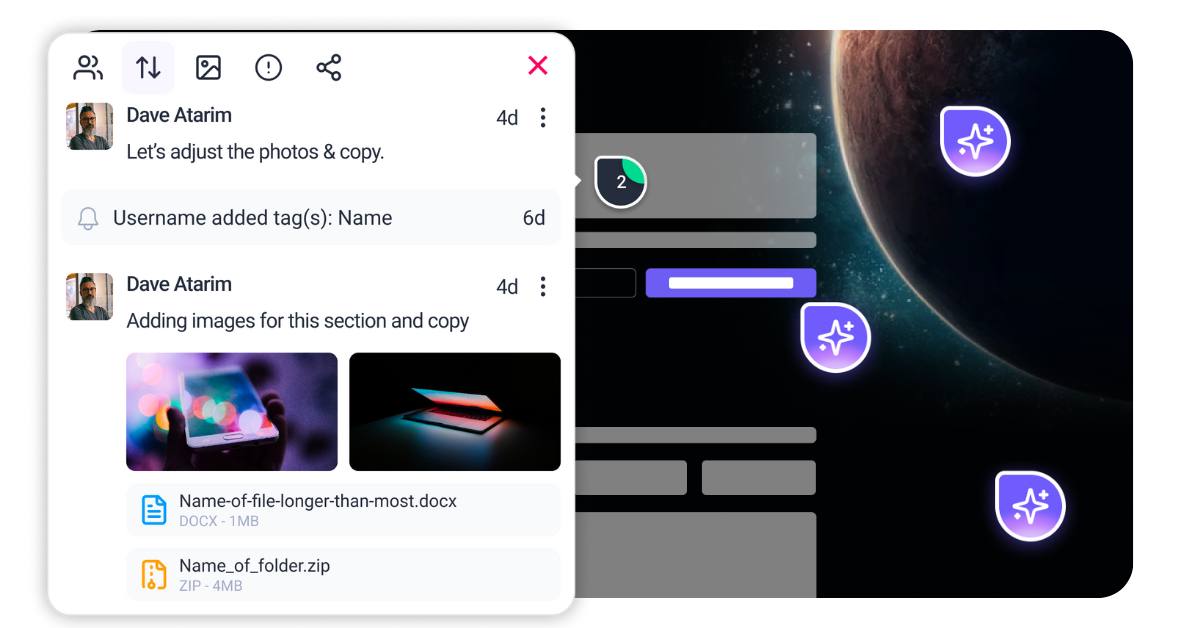
Instead of managing SEO in isolated silos—where developers fix code in GitHub while writers work in Google Docs—Atarim brings your entire team to the live URL. You can spot an accessibility failure, flag a slow interaction, or correct a metadata error directly on the visual interface. It turns “improving SEO” from a chaotic email chain into a coordinated strike.
Before you change a single title tag, you must audit your site through the lens of a machine that “reads” and “experiences” content like a human. In 2026, Google’s systems judge three critical pillars that most legacy checklists miss. You cannot fix what you do not measure, and the metrics for success have evolved significantly from the “PageSpeed” days of the early 2020s.
Since replacing First Input Delay (FID) in 2024, Interaction to Next Paint has become the definitive metric for user experience. It does not just measure how fast a page loads. It measures how fast it reacts. If a user taps “Add to Cart” and the screen freezes for 300ms while a heavy JavaScript bundle executes, you fail. Google’s AI prioritizes sites that feel instant because user behavior data shows that rage clicks and abandonment skyrocket when interactions lag. You need to audit your main thread blocking time specifically on mobile devices with mid-range processors, as this is where INP failures usually occur.
Generic content is dead. If an AI can summarize your 2,000-word article in three sentences because it repeats the industry consensus, you have zero “Information Gain.” To rank in 2026, your content must offer something an LLM cannot generate on its own. This is often proprietary data, contrarian expert opinion, or genuine first-hand experience (the first “E” in E-E-A-T). When auditing your site, you must look at your top traffic pages and ask a hard question. Could a model trained on the internet of 2024 write this? If the answer is yes, that page is at risk of being de-indexed or buried.
scheduler.yield(): This API allows the browser to pause your script, handle the user’s click or input, and then resume work. It is the modern standard for breaking up long tasks.requestIdleCallback to load these assets only when the browser is quiet.Article and a Product without nesting them correctly, or you have multiple @type definitions that contradict each other. @id references. A common error is having a “BreadcrumbList” that is completely disconnected from the main “Article” schema. @type: Decide if the page is fundamentally a Product, an Article, or a Service.FAQPage schema should be a property of the Product (via the subjectOf property), not a sibling sitting next to it. This tells Google “These FAQs are about this Product.”sameAs property to link your Organization schema to your Wikipedia page, Crunchbase, or verified social profiles. This confirms your identity to the Knowledge Graph.<div> tags without ARIA labels. You might rely on hover states to show critical menu links. Tab key. Can you reach every link? Can you trigger every dropdown? If not, the crawler is likely getting stuck too. <div> elements with <button> or <a> tags. This provides built-in keyboard accessibility and tells the crawler “this is an interactive element.”200 OK status code because the app shell loaded successfully. 404 Not Found header immediately.<meta name="robots" content="noindex"> tag into the head as soon as the component realizes the product is missing. This is a fallback, but it helps clean up the index.



| Cookie | Duration | Description |
|---|---|---|
| __stripe_mid | 1 year | This cookie is set by Stripe payment gateway. This cookie is used to enable payment on the website without storing any patment information on a server. |
| __stripe_sid | 30 minutes | This cookie is set by Stripe payment gateway. This cookie is used to enable payment on the website without storing any patment information on a server. |
| cookielawinfo-checkbox-advertisement | 1 year | The cookie is set by GDPR cookie consent to record the user consent for the cookies in the category "Advertisement". |
| cookielawinfo-checkbox-analytics | 11 months | This cookie is set by GDPR Cookie Consent plugin. The cookie is used to store the user consent for the cookies in the category "Analytics". |
| cookielawinfo-checkbox-functional | 11 months | The cookie is set by GDPR cookie consent to record the user consent for the cookies in the category "Functional". |
| cookielawinfo-checkbox-necessary | 11 months | This cookie is set by GDPR Cookie Consent plugin. The cookies is used to store the user consent for the cookies in the category "Necessary". |
| cookielawinfo-checkbox-others | 11 months | This cookie is set by GDPR Cookie Consent plugin. The cookie is used to store the user consent for the cookies in the category "Other. |
| cookielawinfo-checkbox-performance | 11 months | This cookie is set by GDPR Cookie Consent plugin. The cookie is used to store the user consent for the cookies in the category "Performance". |
| elementor | never | This cookie is used by the website's WordPress theme. It allows the website owner to implement or change the website's content in real-time. |
| PHPSESSID | session | This cookie is native to PHP applications. The cookie is used to store and identify a users' unique session ID for the purpose of managing user session on the website. The cookie is a session cookies and is deleted when all the browser windows are closed. |
| viewed_cookie_policy | 11 months | The cookie is set by the GDPR Cookie Consent plugin and is used to store whether or not user has consented to the use of cookies. It does not store any personal data. |
| wordpress_test_cookie | session | This cookie is used to check if the cookies are enabled on the users' browser. |
| Cookie | Duration | Description |
|---|---|---|
| aka_debug | session | This cookie is set by the provider Vimeo.This cookie is essential for the website to play video functionality. The cookie collects statistical information like how many times the video is displayed and what settings are used for playback. |
| bp_user-registered | 13 years 8 months 8 days | This cookie is used to set which users can access the private pages of the website. It is a functional cookie. |
| bp_user-role | 13 years 8 months 8 days | This is a functional cookie. It is used to set restriction to the user on acessing certain pages like back office, account page etc. |
| bp_ut_session | 13 years 8 months 8 days | This is a functional cookie. This cookie is used to set restriction to the user on acessing certain pages like back office, account page etc. |
| player | 1 year | This cookie is used by Vimeo. This cookie is used to save the user's preferences when playing embedded videos from Vimeo. |
| Cookie | Duration | Description |
|---|---|---|
| _fs | 16 years 4 months 18 days 5 hours 26 minutes | This cookie is provided by Google Tag Manager. This cookie is used for collecting information on user preferences and the behaviour with web campaign content. This is used by website owners for promoting products and events. |
| Cookie | Duration | Description |
|---|---|---|
| _ga | 2 years | This cookie is installed by Google Analytics. The cookie is used to calculate visitor, session, campaign data and keep track of site usage for the site's analytics report. The cookies store information anonymously and assign a randomly generated number to identify unique visitors. |
| _gat_gtag_UA_187048114_1 | 1 minute | This cookie is set by Google and is used to distinguish users. |
| _gid | 1 day | This cookie is installed by Google Analytics. The cookie is used to store information of how visitors use a website and helps in creating an analytics report of how the website is doing. The data collected including the number visitors, the source where they have come from, and the pages visted in an anonymous form. |
| _hjAbsoluteSessionInProgress | 30 minutes | No description available. |
| _hjFirstSeen | 30 minutes | This is set by Hotjar to identify a new user’s first session. It stores a true/false value, indicating whether this was the first time Hotjar saw this user. It is used by Recording filters to identify new user sessions. |
| _hjid | 1 year | This cookie is set by Hotjar. This cookie is set when the customer first lands on a page with the Hotjar script. It is used to persist the random user ID, unique to that site on the browser. This ensures that behavior in subsequent visits to the same site will be attributed to the same user ID. |
| _hjIncludedInPageviewSample | 2 minutes | No description available. |
| CONSENT | 16 years 4 months 18 days 5 hours 24 minutes | These cookies are set via embedded youtube-videos. They register anonymous statistical data on for example how many times the video is displayed and what settings are used for playback.No sensitive data is collected unless you log in to your google account, in that case your choices are linked with your account, for example if you click “like” on a video. |
| vuid | 2 years | This domain of this cookie is owned by Vimeo. This cookie is used by vimeo to collect tracking information. It sets a unique ID to embed videos to the website. |
| Cookie | Duration | Description |
|---|---|---|
| _fbp | 3 months | This cookie is set by Facebook to deliver advertisement when they are on Facebook or a digital platform powered by Facebook advertising after visiting this website. |
| fr | 3 months | The cookie is set by Facebook to show relevant advertisments to the users and measure and improve the advertisements. The cookie also tracks the behavior of the user across the web on sites that have Facebook pixel or Facebook social plugin. |
| IDE | 1 year 24 days | Used by Google DoubleClick and stores information about how the user uses the website and any other advertisement before visiting the website. This is used to present users with ads that are relevant to them according to the user profile. |
| test_cookie | 15 minutes | This cookie is set by doubleclick.net. The purpose of the cookie is to determine if the user's browser supports cookies. |
| VISITOR_INFO1_LIVE | 5 months 27 days | This cookie is set by Youtube. Used to track the information of the embedded YouTube videos on a website. |
| YSC | session | This cookies is set by Youtube and is used to track the views of embedded videos. |
| yt-remote-connected-devices | never | These cookies are set via embedded youtube-videos. |
| yt-remote-device-id | never | These cookies are set via embedded youtube-videos. |
| yt.innertube::nextId | never | These cookies are set via embedded youtube-videos. |
| yt.innertube::requests | never | These cookies are set via embedded youtube-videos. |
| Cookie | Duration | Description |
|---|---|---|
| _bento_session | 7 days | No description |
| bento_events | 17 hours | No description |
| bento_visit_id | 5 hours | No description |
| bento_visitor_id | session | No description |
| GetLocalTimeZone | session | No description |
| gist_id_jquk4gak | 1 year | No description |
| gist_identified_jquk4gak | 1 year | No description |
| gscs | never | No description available. |
| jilt_customer_session_id | never | No description available. |
| jilt_utm | 7 days | No description |
| loglevel | never | No description available. |
| m | 2 years | No description available. |
| sync_active | never | No description available. |
| undefined | never | No description available. |
| wordpress_87c01d6ccf9faf56036dce5d241c08ac | past | No description |
| wordpress_logged_in_87c01d6ccf9faf56036dce5d241c08ac | past | No description |
| wordpress_sec_87c01d6ccf9faf56036dce5d241c08ac | past | No description |
| wordpresspass_87c01d6ccf9faf56036dce5d241c08ac | past | No description |
| wordpressuser_87c01d6ccf9faf56036dce5d241c08ac | past | No description |
| wp-postpass_87c01d6ccf9faf56036dce5d241c08ac | past | No description |
| wp-settings-0 | past | No description |
| wp-settings-time-0 | past | No description |
