

When something breaks on your client’s site, the first question you ask is “How did this happen?” More often than not, this question goes unanswered. This is the visibility gap, and it’s one of the most common operational frustrations for agencies managing WordPress sites at scale.
The Visibility Gap: What It Is and Why It Exists
There are plenty of ways to get visibility into your WordPress sites, from plugins and uptime monitoring to managed hosting panels. However, this data is often too limited or fragmented to support effective troubleshooting.
For agencies, visibility is not just a technical concern about whether or not a website is up or down. True visibility means having a complete audit trail of what changed, when it happened, and which account made the change.
There are several reasons why real visibility is so hard to achieve across a portfolio of client sites:
- Multiple stakeholders with different access levels: on any given client site, you might have your agency’s developers, the client’s internal team, and a freelance designer brought in for a project. Each of these people can make changes, so without logging, there’s no record of who did what.
- Updates happen without context: plugin and theme updates are routine, but they can introduce conflicts or outright breakages. When an update silently causes a layout issue or disables a feature, tracing it back to a specific update, especially when multiple plugins are updated at once, is time-consuming without a clear audit trail.
- Clients make changes without telling you: client edits a page, removes a widget, changes a user role, or installs a new plugin, and the first time you find out is when something breaks. By then, the connection between cause and effect may be far from obvious.
- There’s very little default logging in WordPress: out of the box, WordPress records very little about what happens on a site. There’s no native activity log, no change history for settings or users, and no record of failed login attempts or permission changes.
Visibility on a single site with just one or two users is manageable. Even with limited data, you can usually piece together what happened. But managing visibility on more complex setups with many users, or across entire portfolios of 20, 50, or 100+ client sites is a fundamentally different challenge.
At scale, the cognitive load of keeping track of every site and what happens on them becomes impossible. You can’t rely on memory, or on clients sharing information about changes they’ve made. Never the less, this is oftent he default, which results in hours of time spent investigating bugs and incidents.
As a result, poor visibility means longer resolution times, increased support overhead, reduced client confidence, and difficulty scaling across multiple sites. And perhaps most importantly, poor visibility, in practice, often means poor security.
What Proper Visibility Requires
Closing the visibility gap requires more than basic logs. It requires detailed, actionable records that support accountability, investigation, and troubleshooting.
Here’s what that looks like in practice:
Granular activity logging
A good activity log shows what changed, who changed it, when, and, where relevant, including context such as IP address and session data.
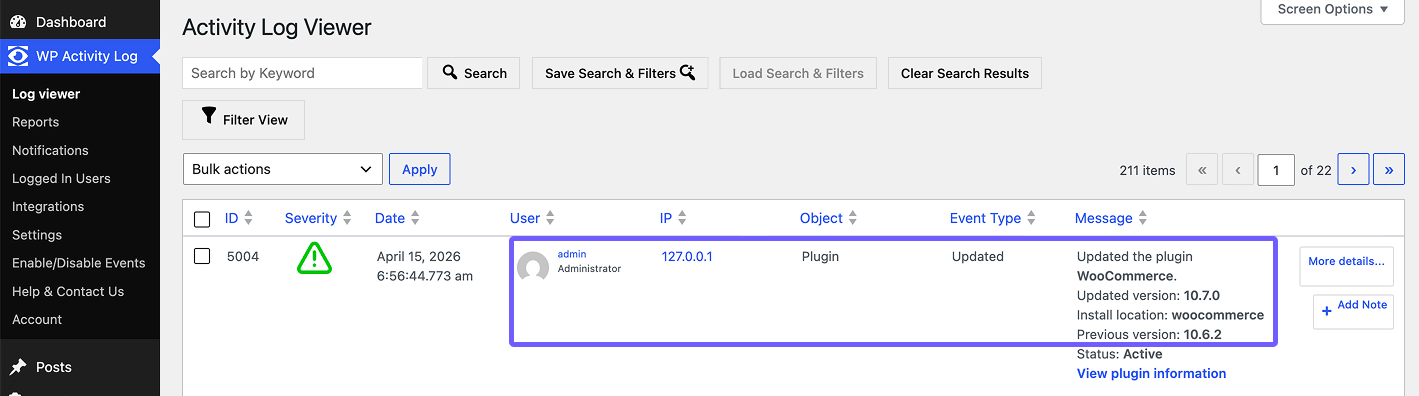
For a user account modification, that means logging not just that the account was edited, but which specific fields changed: email address, role, or password reset. For a plugin update, it means logging the previous and new versions.
This granularity matters enormously during incident response. If a client site suddenly starts behaving strangely on a Monday morning, being able to pull up a log and see that a specific plugin was updated at 6:56 AM by a particular admin account is the difference between a 10-minute fix and a 2-hour investigation, or even the difference between a minor hiccup and a fully hacked site.
Real-time alerts for critical changes
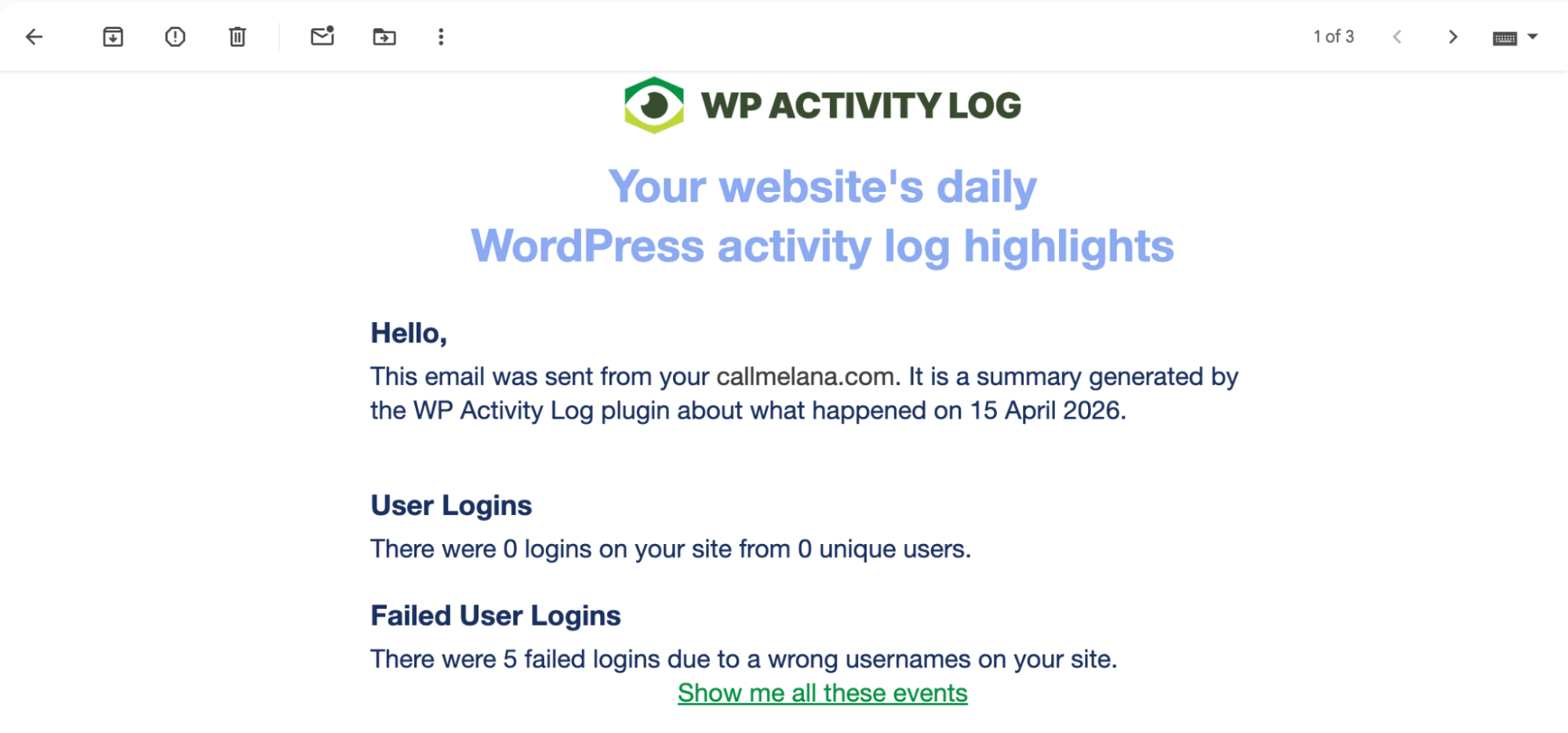
For high-risk events, you need to know as soon as something happens, not hours later. Real-time alerting means being notified immediately when someone new is granted admin access, when a plugin is deactivated, when a file is modified directly (which may indicate a compromise), or when multiple failed login attempts occur (which may indicate a brute-force attack).
Offsite log storage
For more complex setups, effective visibility requires logs to be stored in a location separate from the site itself: whether that’s an external database, a dedicated log management service, or an integration with a third-party monitoring platform. This prevents unnecessary database bloat and ensures the logs can’t be tampered with should a major incident occur.

Centralized multisite visibility
For agencies, per-site logging isn’t enough. You need to be able to see activity across your entire client portfolio from a single interface. This means a central dashboard that aggregates alerts and recent activity from all managed sites.
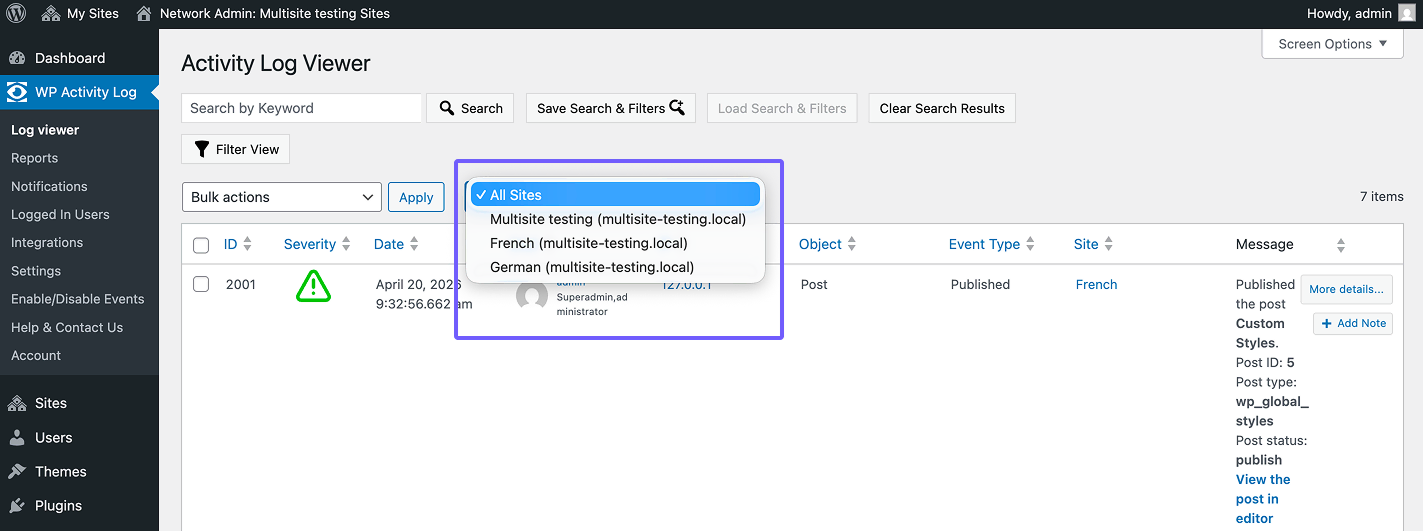
The goal is to eliminate the need to log into each site individually to check what’s happening.
How to Implement Visibility in Practice
The most practical starting point for most WordPress agencies is a dedicated activity logging plugin. WP Activity Log is a tool that provides this level of detail by capturing all changes on a WordPress site as well as relevant metadata around each change. Instead of simply recording that a user account was modified, it tracks which fields changed (e.g., email, role, password change event), along with contextual information where applicable.
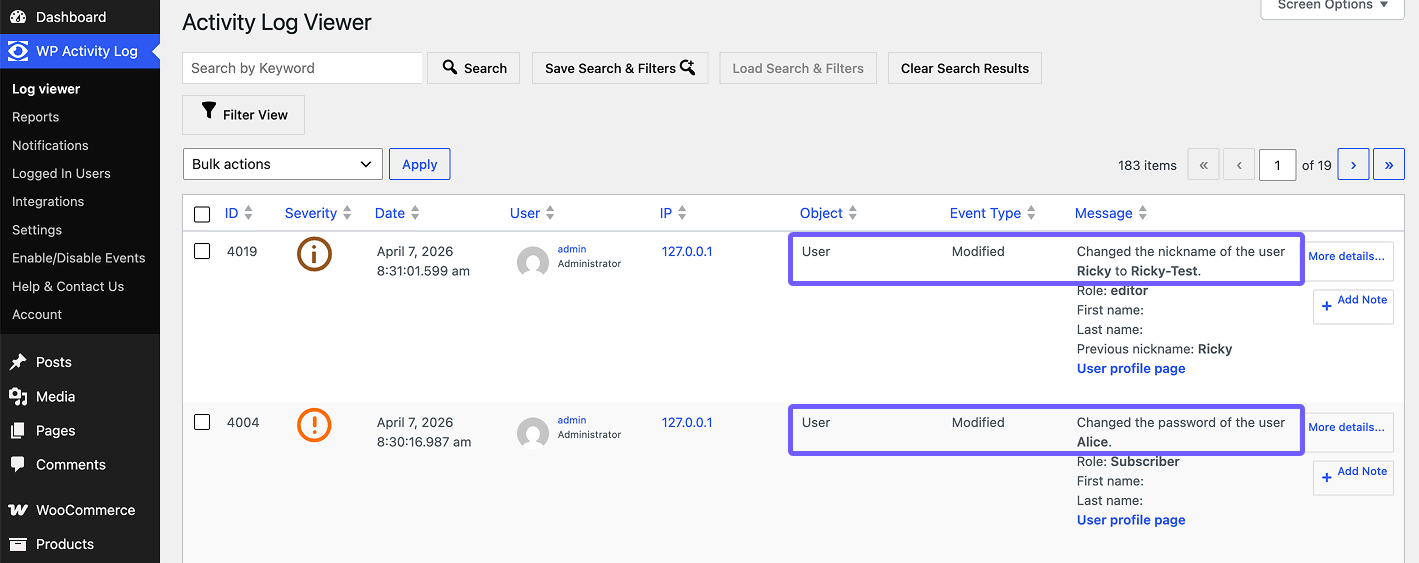
This depth of logging extends across the site, including plugin and theme changes, taxonomy updates, widget modifications, and custom post type edits. For complex environments such as WooCommerce sites or membership websites, this level of detail significantly reduces investigation time.
Make visibility part of your day-to-day operations
Beyond the tooling, it’s worth establishing a few operational habits in your agency that reinforce visibility as a practice:
- Document your access policies: know who has admin access to every client site, and review it regularly. Visibility tools show you what’s happening, but understanding who’s behind each account depends on how well you manage access.
- Set client expectations early: make it clear from the start of any client relationship that your agency uses activity logging as part of its standard site management practice. This reduces the awkwardness of raising it later, and it sets a professional tone around accountability and transparency.
- Use logs proactively, not just reactively: don’t wait for something to break before checking the logs. Build a habit of reviewing recent activity during regular maintenance windows, and you’ll often spot potential issues before they escalate.
Why Visibility Is a Competitive Advantage
Agencies that invest in proper visibility tooling aren’t just reducing their troubleshooting overhead; they’re building a more secure, scalable, and client-facing operation.
When a client asks why their site went down, or why a certain change was made, or whether unauthorized users have accessed their site, you want to be the agency that can provide a clear, detailed, timestamped record and walk the client through exactly what happened. That’s not just good service, it’s a competitive advantage.
As your portfolio grows, the processes and tools you put in place now will either support that growth or slow you down in the future. Getting visibility right early is a foundational investment in the effective agency you’re building.
Learn More at the Atarim Web Agency Summit 2026
If you’re dealing with the visibility gap we’ve described, join the Robert Abela session during Atarim Web Agency Summit 2026, “Incomplete, Delayed, and Deletable: Why Most Agencies Lack Real Visibility,” which breaks down the same problem from an operational and security perspective, with practical examples from real-world environments.
Grab your spot → atarim.io/summit