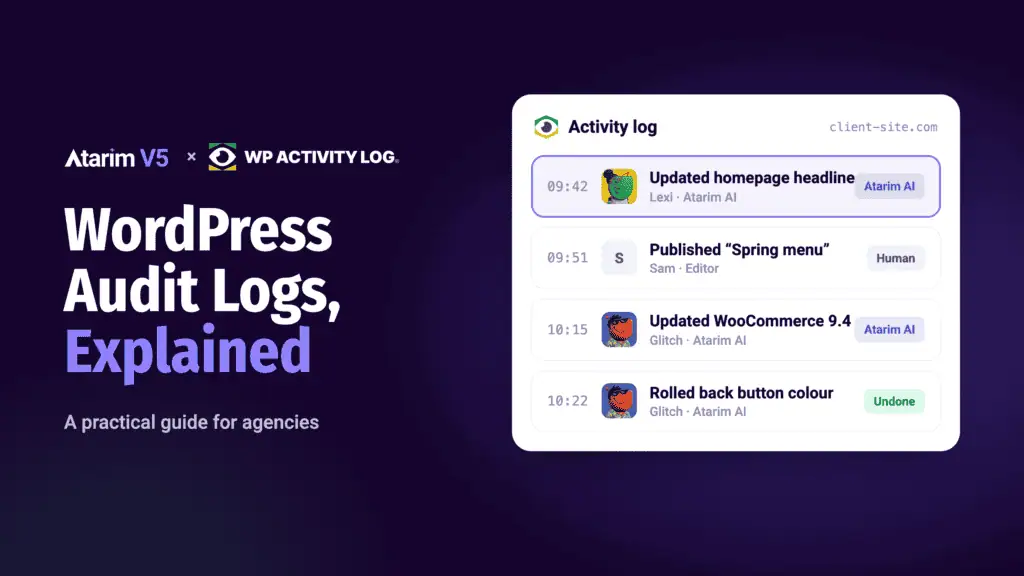



Atarim vs. BugHerd in one line: BugHerd is a solid feedback tool. Atarim is the AI web agency that does the work after the feedback lands. Which one fits comes down to whether you want to collect feedback or hand the work off.
Years before Atarim, when I was still running my web agency, client feedback showed up in every shape you can imagine:
- A screenshot with no crop
- An email that said “make it pop”
- A Slack message nobody could find three days later
I’ve shipped more than 600 client projects, and I promise you every one of them had at least one of those.
Tools like BugHerd fixed that first half of the headache, and they did it well. Clients click on the page, leave a comment, and the context comes along with it.
But collecting feedback was only ever half the job. The other half is everything that happens next:
- Triaging the ticket
- Finding the right template
- Getting the fix made
- Getting the client to approve it
That’s the half that quietly eats an agency’s week.
In this Atarim vs. BugHerd guide, I’ll compare them on:
- How they work
- How they connect to WordPress
- How much work they take off your plate
- What they cost
Full disclosure: I run Atarim, so I’m biased. I checked every BugHerd detail against its own pricing page and docs in November 2026, and I’ve said where it wins.
Atarim vs. BugHerd: Quick Comparison Matrix
Here’s the short version of Atarim vs. BugHerd, side by side:
| Capability | BugHerd | Atarim |
|---|---|---|
| Core Focus | Visual feedback and bug tracking with a kanban task board | The AI web agency, plugged into yours: it takes routine client work off your team’s plate and does it under your brand |
| Feedback Input | JavaScript snippet, official WordPress plugin, or browser extension | Script tag, Chrome extension, WordPress plugin, web access, or client email forwarded to the inbox |
| What You Can Review | Websites, Figma designs, PDFs and images on every plan | Live websites, PDFs and uploaded design images, including Figma frames sent as images |
| Technical Metadata | Screenshot with browser, OS, screen size and more | Screenshot, URL, browser, screen size and element on each task |
| WordPress & CMS | WordPress plugin loads the feedback sidebar on your site and admin pages; no task sync with your content. BugHerd MCP lets your own AI coding tool work in your code or CMS | WordPress plugin and an MCP server, so work can happen on the site itself. Standard MCP work uses no Atarim credits |
| AI | Beta: MCP and auto-titles on every plan; auto-tagging and similar-task detection on Premium | Six specialists, the Inner Circle, design, write, fix and ship the work, with your approval |
| Client Operations | Unlimited guests and a task board; client task board and custom branding on Premium | One inbox for page feedback and client email, boards, and your brand on the client dashboard |
| Pricing | $50 to $150/mo for 5 to 25 members ($42 to $125 billed yearly), unlimited guests | Pro is $67/mo ($53.60 billed yearly) with 5,000 credits included; extra credits from $10 per 1,000 |
Deep Dive: BugHerd
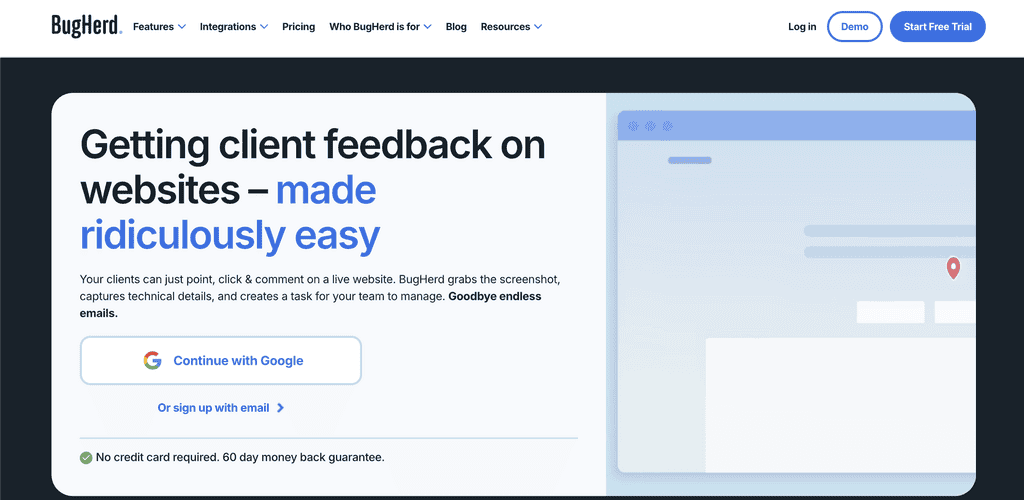
Let me give BugHerd its flowers first. It’s a visual feedback and bug-tracking tool that agencies, development teams and QA testers all use, and it turns website feedback into task cards on a central kanban board.
Where BugHerd Performs Well
- Point-and-click markup: Clients and testers click straight on a live element to pin a comment, annotate a screenshot or record a short video. It’s about the easiest version of “let me show you what I mean.”
- Feedback on designs and files: Figma designs, PDFs and images get the same pinned feedback as live pages, on every plan.
- Technical details for free: Every task card captures a screenshot plus the browser, operating system and screen size, so you stop asking “which phone were you on?”
- Flexible install: Add a JavaScript snippet, use the official WordPress plugin, or fall back on the browser extension for sites where you can’t add code.
- Developer integrations: Trello, Slack, GitHub and more on every plan, with Jira, Asana and other integrations on the Premium plan.
- AI and MCP: BugHerd MCP, in beta on every plan, connects AI tools like Claude Code or Cursor to your tasks so they can read feedback and make changes in your code or CMS. Auto-title generation is also on every plan, while auto-tagging and similar-task detection are Premium.
Where BugHerd Falls Short for Growing Agencies
None of this makes BugHerd a bad tool. It’s a solid one. These are just the limits agencies tend to bump into as project volume grows:
- Fixes need your own AI agent: BugHerd’s built-in AI tidies tasks with titles, tags and duplicate detection. Fixes happen through BugHerd MCP, which connects an AI coding tool that you choose, set up and supervise yourself.
- No task sync with your CMS: BugHerd’s WordPress plugin loads the feedback sidebar on your site and admin pages, but tasks stay on BugHerd’s board. Your developers still cross-reference tickets against page builders, templates and theme code.
- Member caps on every plan: Standard covers 5 members, Studio 10 and Premium 25, so a growing team moves up a tier or pays for extra members at $8 a month each when billed monthly. Guests are unlimited on all plans.
Deep Dive: Atarim
Atarim started life as a feedback tool too, so I know this territory well. These days it’s a lot more.
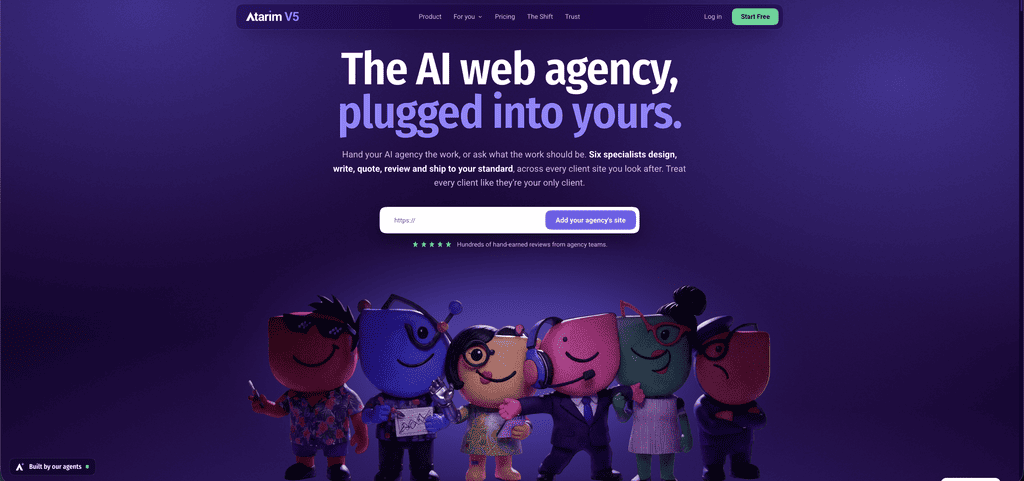
Atarim is the AI web agency, plugged into yours. It takes the routine client work off your team’s plate, so your people can go after the projects that bring in new business while every site stays backed up, updated, secure and online.
When a form breaks or a page slows down, Atarim catches it before the client does and puts the fix in front of you for approval. Nothing ships without your yes, and nothing reaches a client without your approval.
I’ve always thought about this as digitizing human experiences. We didn’t dream up a new way to run an agency. We watched what good agency teams already do every week and taught a team of AI specialists to do it, at a scale no human team could staff for.
Where Atarim Excels for Agencies
- A whole team, not just a feature: the Inner Circle is six specialists covering design, copy, SEO, UX, QA and project management, working across every client site you look after. Claro runs the project and talks to clients, Lexi writes the words, and Index looks after SEO.
- Client feedback, handled: clients click any part of a page to ask for a change. The request lands as a task, the right specialist picks it up, and anything that needs your approval waits for it.
- Routine care on autopilot: backups, updates, security checks and uptime monitoring become regular work your team no longer has to remember to do.
- Inside WordPress: a WordPress plugin and an MCP server connect Atarim to the site, so changes happen where the content lives. Standard MCP work uses no Atarim credits.
- One inbox: forward your support address and every client email becomes a task, in the same list as the feedback clients leave on the page.
- Under your brand: your brand is on the client dashboard, not ours, and you set per-client rules for tone, goals and what the specialists may do alone.
- A flat plan with no seat counting: Pro is $67 a month and covers up to 1,000 projects and 100 team seats, with unlimited clients and guests. The work the specialists do is paid for in credits, which I’ll explain in the pricing section below.
Atarim vs. BugHerd: Feature-by-Feature Breakdown
1. Visual Markup vs. Active Task Execution
Here’s something I learned early in my agency days: people give feedback in three to five words. “Make this bigger.” “Move this up.” And my personal favorite, “make it pop.” 😅
So neither tool asks clients to write a technical ticket. Both capture the context for them. Here’s where they collect it:
- BugHerd: pinned comments on websites, Figma designs, PDFs and images, installed through a JavaScript snippet, a WordPress plugin or a browser extension.
- Atarim: feedback on live websites, PDFs and uploaded design images, plus client emails turned into tasks.
One difference to know about: BugHerd takes Figma designs directly, while Atarim takes Figma frames as images.
The real difference shows up after the comment lands:
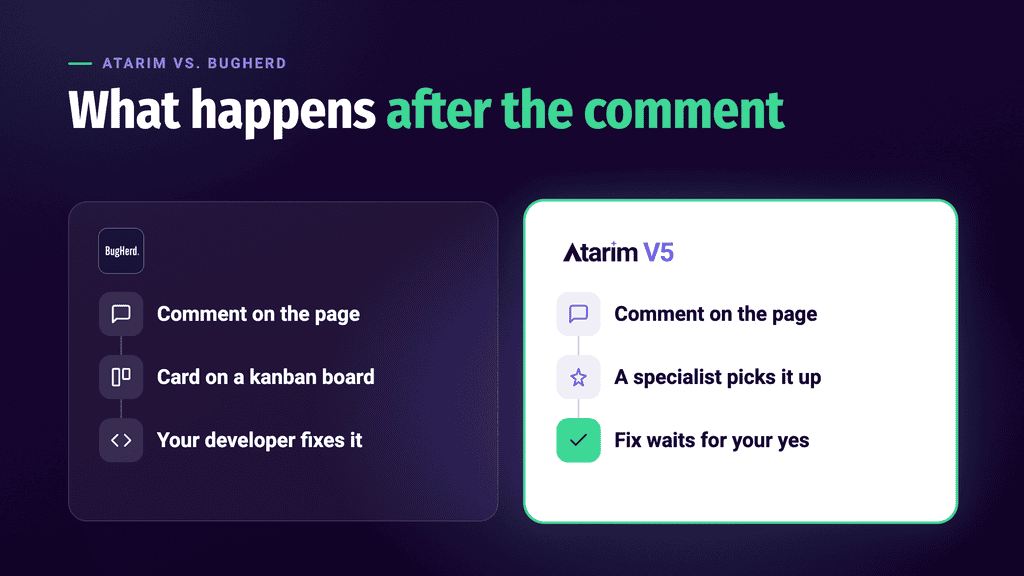
- With BugHerd, a card appears on a kanban board and an agency developer opens the site to resolve it, or hands the task to an AI coding agent they run separately through BugHerd MCP.
- With Atarim, the right specialist picks up the task and follows the per-client rules you set for brand, tone and what it may do alone. Anything that needs your approval waits for it.
You go from “somebody has to deal with this” to “here’s the fix, want to approve it?”
2. CMS & WordPress Integration
Both tools have a WordPress plugin, but they do different jobs:
- BugHerd’s plugin puts the feedback sidebar on your site and, if you choose, on admin pages, with no code to paste and no extension to install. It doesn’t connect tasks to your content or theme.
- Atarim’s plugin and MCP server let the specialists work on the site itself, from update rounds with a backup first to copy and SEO changes.
So when a client comments “change the button color” with BugHerd, your developer still opens the relevant template or page builder and hunts for the element. Teams that already run an AI coding agent can connect it through BugHerd MCP, but that agent is a separate tool to set up and supervise.
On the Atarim side, standard MCP work uses no Atarim credits, although some operations, such as SEO research, do.
3. Client Operations & Branding
BugHerd gives you unlimited guests and a kanban board, and its Premium plan adds a client task board and custom branding.
Atarim builds a whole client operations layer around the work:
- One inbox for page feedback and client email
- Boards to keep every client moving
- Branded care reports that show what you fixed and improved
- An upsell workflow that scopes and quotes extra work for you to send
From my agency days I can tell you the care report alone is a big deal, because clients can only value work they can see.
Atarim vs. BugHerd Pricing: Seats vs. Credits
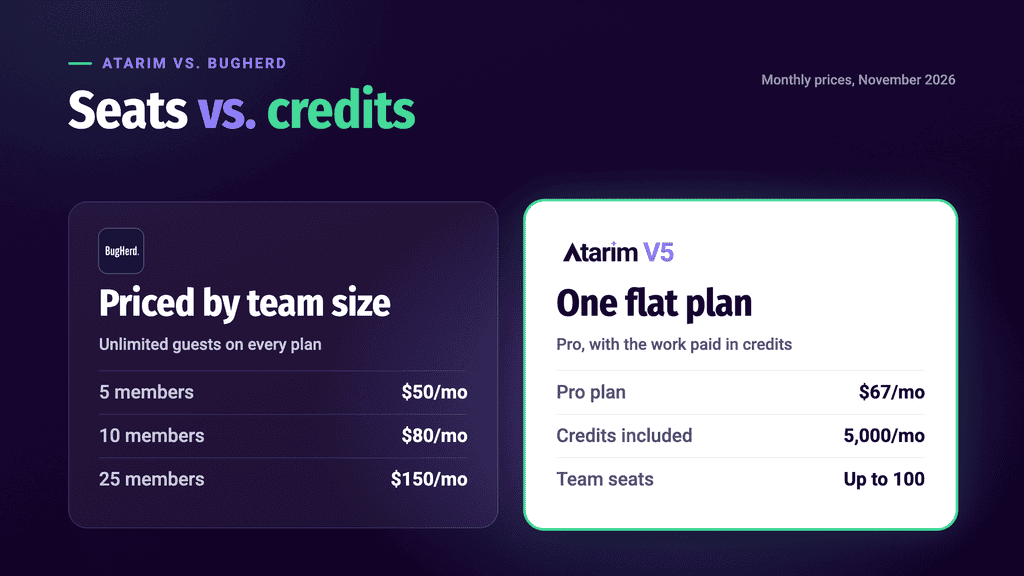
Pricing is where Atarim vs. BugHerd is hardest to compare, because they charge for different things. BugHerd charges by team size for a feedback and bug-tracking tool. Atarim charges a flat monthly plan plus credits, and the credits pay for the work its specialists do.
| Plan Tier | BugHerd | Atarim | What It Means for Your Agency |
|---|---|---|---|
| Entry | Standard: $50/mo ($42 billed yearly), 5 members | Pro: $67/mo ($53.60 billed yearly), 5,000 credits included | BugHerd costs less if you only need a feedback tool for a small team. |
| Growth | Studio: $80/mo ($67 billed yearly), 10 members | Pro: $67/mo ($53.60 billed yearly), up to 100 team seats | Atarim doesn’t count seats, but the work the specialists do is metered in credits. |
| Scale | Premium: $150/mo ($125 billed yearly), 25 members, with custom branding and Jira | Pro plus extra credits as you add clients | The more work Atarim’s specialists do for your clients, the more credits you use. |
| Client Access | Unlimited guests on every plan | Unlimited clients and guests, up to 1,000 projects on Pro | Neither tool charges you per client reviewer. |
| Credits | None | 5,000 a month included, then from $10 per 1,000 | Credits only apply to Atarim’s AI work, not to leaving feedback. |
How Atarim Credits Work
Credits can sound like a gotcha, so let me explain them straight. They’re what the specialists spend doing work for a client, like running a workflow, a site review or a report. Here’s how they add up:
- Included: Pro comes with 5,000 credits a month.
- Per client: how many credits a client uses depends on how much work you hand off for them, and a busy site uses more than a quiet one. The calculator on Atarim’s pricing page estimates it for your own client list.
- Budgets: you set a budget for each client when you add them, starting at 1,000 credits, and every workflow shows its cost before it runs.
- On-demand work: things like sorting client feedback or bug reports use extra credits only when a client sends something in.
- Running low: the work pauses, and you top up in blocks of 1,000.
Top-ups get cheaper the more you add:
- $10 per 1,000 for the first 5,000 extra
- $8 per 1,000 from 5,001 to 10,000
- $6 per 1,000 beyond that
There’s also a free plan with 200 credits, once, on one site if you want to try it first.
Is BugHerd cheaper? If all you need is to collect and track feedback, yes. If you want the work done as well, the fairer comparison is Atarim’s credits against the team-hours you’d otherwise pay for.
Prices and credit figures for Atarim vs. BugHerd are the published rates as of November 2026, with yearly billing in brackets. Extra BugHerd members cost $8 a month each when billed monthly and $6.60 when billed yearly. Plans change often, so check Atarim’s pricing page and BugHerd’s pricing page before you decide.
Atarim vs. BugHerd Verdict: Which Tool Fits Your Agency?
Here’s how I’d call Atarim vs. BugHerd, as honestly as I can.
Choose BugHerd if:
- You want a standalone visual feedback and bug-tracking tool, priced by team size.
- You want to review Figma prototypes directly rather than as images.
- Your workflow centres around pushing bug tickets directly into Jira or GitHub sprint backlogs.
- You prefer classic kanban boards and would rather connect your own AI coding tool through BugHerd MCP.
Choose Atarim if:
- You manage WordPress client websites and want specialists doing the work, connected directly to the site.
- You want routine client work, like backups, updates, security checks and uptime, taken off your team’s plate so they can chase new business.
- You need a centralised Unified Agency Inbox to oversee feedback and client email across all active client projects.
- You’d rather budget by client and by the work done than by team seats, starting at a flat $67 a month.
Still not sure about Atarim vs. BugHerd? Paste in your URL and see what the team finds on one of your client sites first. It’s free to start. If you’re weighing more than two tools, our roundup of the best website feedback tools for agencies covers ten of them.
And I’m curious: what’s the one job on your team you’d happily hand off tomorrow? 🙂
Atarim vs. BugHerd FAQs
Can clients leave feedback in Atarim and BugHerd without taking up a paid seat?
Yes. In both tools, clients and external reviewers can leave point-and-click comments as guests without using one of your paid team seats.
Does BugHerd connect directly to WordPress?
Partly. BugHerd has an official WordPress plugin that loads its feedback sidebar on your site and, if you choose, on admin pages, with no code or extension needed. It doesn’t sync tasks with your content or theme. Teams can connect their own AI coding tool through BugHerd MCP to work on the site’s code or CMS.
How does Atarim connect to WordPress sites?
Atarim connects through a WordPress plugin and an MCP server. That lets its specialists, or an AI tool you already pay for, work on the site itself. Standard MCP work uses no Atarim credits, although some operations, such as SEO research, do.
What are the pricing differences between Atarim and BugHerd?
On pricing, Atarim vs. BugHerd comes down to seats versus credits. BugHerd charges by team size: Standard is $50 a month for 5 members, Studio $80 for 10, and Premium $150 for 25, or $42, $67 and $125 a month billed yearly, with unlimited guests on every plan. Atarim’s Pro plan is $67 a month ($53.60 billed yearly) with 5,000 credits included, and extra credits start at $10 per 1,000.
How do Atarim credits work?
Credits pay for the work Atarim’s specialists do, such as running a workflow, a site review or a report. Pro includes 5,000 a month, and how far that goes depends on how much work each client needs. The calculator on Atarim’s pricing page estimates it for your own clients. Work pauses if you run out, and you can top up in blocks of 1,000. You set a budget for each client, and every workflow shows its cost before it runs.
Does BugHerd have AI features?
Yes, in beta. BugHerd’s AI features include BugHerd MCP and auto-title generation on every plan, plus auto-tagging and similar-task detection on Premium. BugHerd MCP lets an AI tool you run yourself, like Claude or Cursor, read tasks and make changes. Atarim works differently: it’s the AI web agency, plugged into yours, with six specialists that do the client work under your brand, and nothing reaches a client without your approval.