During Atarim’s Web Agency Summit 2026, Robert Abela highlighted a common challenge for agencies: visibility. On the surface, everything looks covered: dashboards, uptime monitoring, maybe even some automated visual regression testing set up. But when an issue actually occurs, that visibility starts to break down. The picture is incomplete, delayed, or simply missing.
This is not due to a lack of tools, but rather to a lack of reliable visibility into what is happening, which makes it difficult to act quickly and accurately. Most setups rely on shallow logs or delayed insights. They might tell you that something changed, but not exactly what, who did it, or in a way that helps you react quickly. So when something goes wrong, you are left reconstructing events instead of seeing them clearly.
This article addresses that gap. It explains what audit logs are, where they provide the most value, how to set them up quickly, and best practices for managing logs in multisite environments.
The Visibility Gap in Practice
Every agency has been in this situation: a client reports an issue or makes changes to a site. As a result, the layout is broken, a setting is switched off that shouldn’t be, or the order workflow is behaving differently.
The first question is always the same: “What changed and why?”
At this point, progress often stalls. You check recent updates, and nothing looks obvious. You ask your team, and no one is sure. So you start piecing things together manually, trying to reconstruct what happened. Instead of operating with certainty, teams are forced to make assumptions.
This is the visibility gap most agencies face. When multiple users and systems interact with a WordPress site, changes occur constantly, but there is no reliable, structured record of them. As a result, troubleshooting becomes time-consuming and inefficient.
What Is an Audit Log?
An audit log tracks user and system activity, so you have a record of everything that happened. In WordPress, audit logs, also called activity logs, are often implemented via a plugin.
In simple terms, it is a log of actions, where each entry answers three core questions:
- Who performed the action?
- What changed, exactly?
- When did it happen?
WordPress audit logs are different from other types of logs. For example, web server logs track requests to the server and debug logs capture errors and technical issues. These both have their place, but neither provides a clear view of what is happening inside WordPress from an operational perspective. For that, we use a WordPress audit log.
What Makes Logs Useful (and What Doesn’t)
Not all logs are equally useful. Their usefulness depends on the level of detail and context they provide.
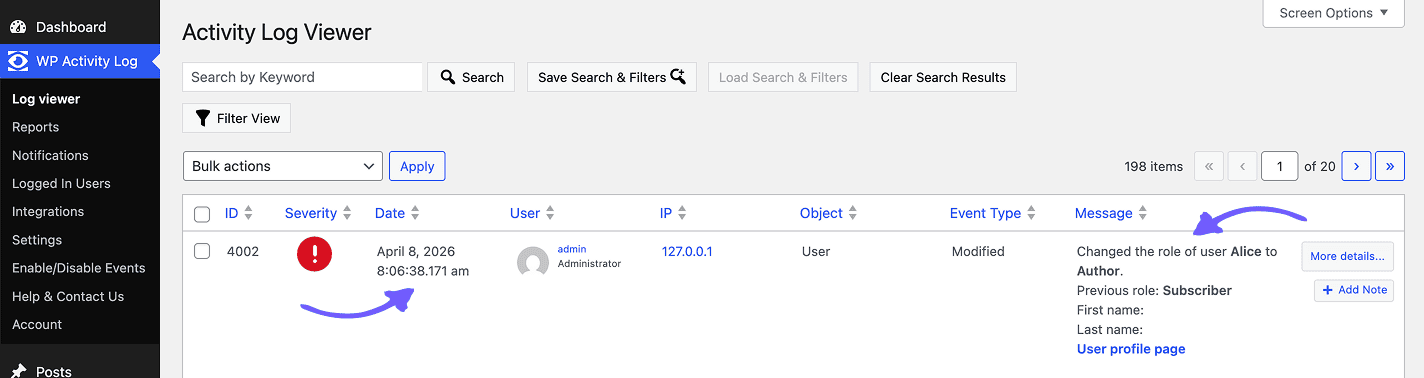
For a log to be helpful, it needs to capture specific metadata:
- It must clearly identify who made the change (username and user role).
- It must describe what changed with enough precision to be meaningful.
- Each entry should include an accurate timestamp.
- Context is essential for accurately interpreting each logged event.
For agencies managing multiple sites and stakeholders, effective logging requires:
- Granular tracking of changes, including field-level detail
- Coverage across the entire site, including users, content, plugins, themes, settings, and eCommerce data
- Off-site log storage to protect logs from tampering or loss if the site is compromised (for more complex/business-critical setups)
- Real-time visibility so issues can be identified as they happen
- Searchable and filterable logs to quickly find relevant events
This level of detail significantly reduces the time required for root-cause analysis. Instead of manually investigating and cross-checking multiple sources, the information is available in one place.
Where Audit Logs Are Valuable for Agencies
1. Incident investigation
Logs provide a clear event trail, allowing teams to trace issues to specific actions without relying on assumptions. For example, if a page breaks, logs can reveal whether a plugin update, configuration change, or content edit caused the issue.
2. Client communication
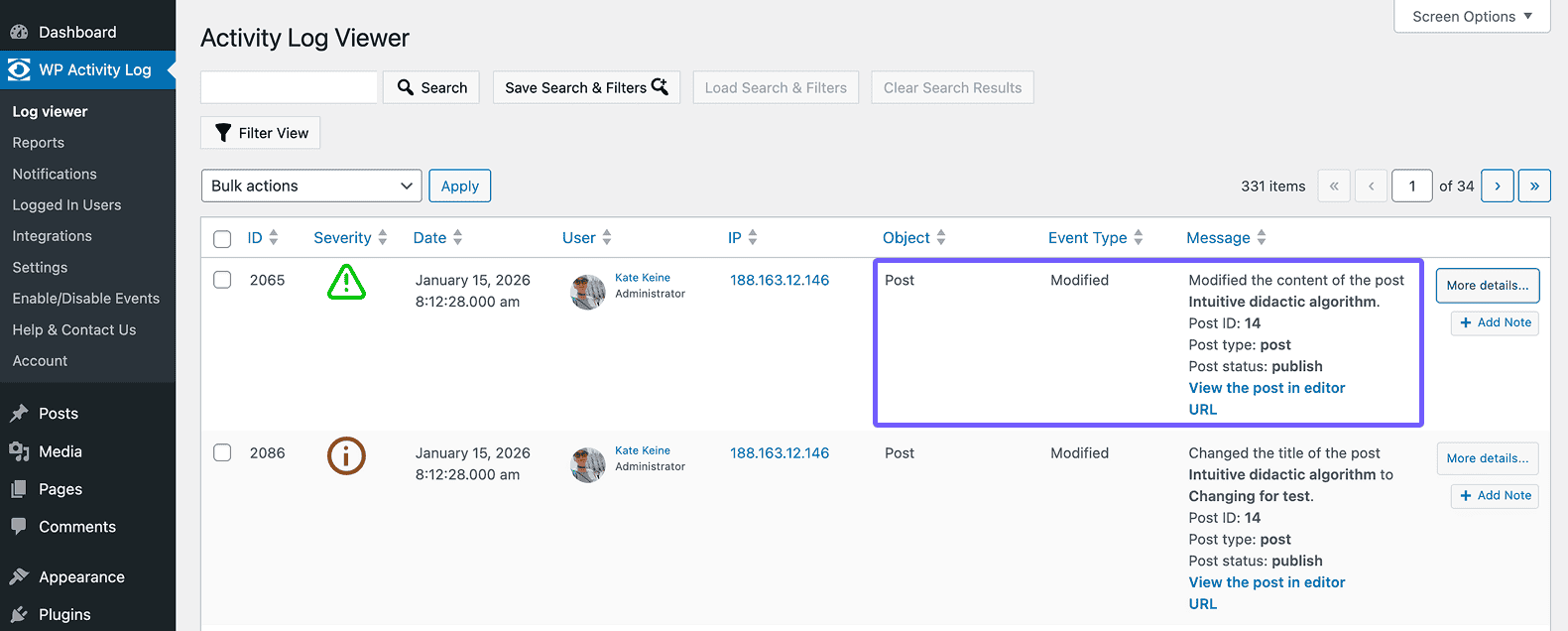
Logs enable precise, evidence-based explanations. This reduces ambiguity and helps avoid disputes by clearly showing what occurred and when with the client’s website.
3. Team accountability and process improvement
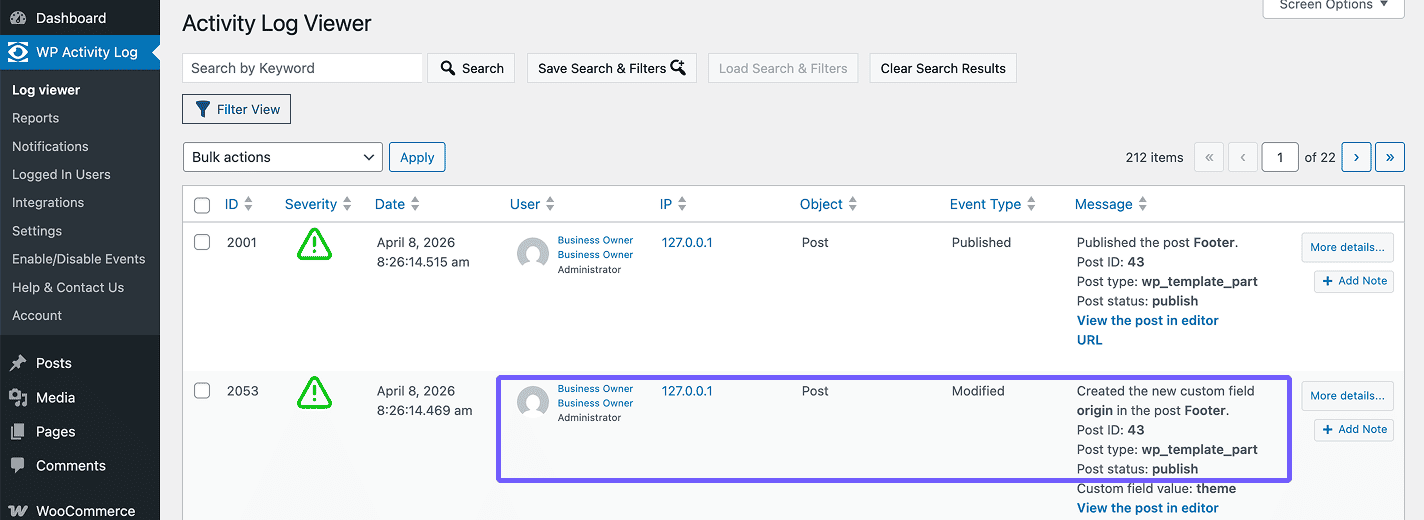
Logs reveal patterns in team behavior. Repeated issues can often be traced to workflow gaps, misconfigurations, or training needs.
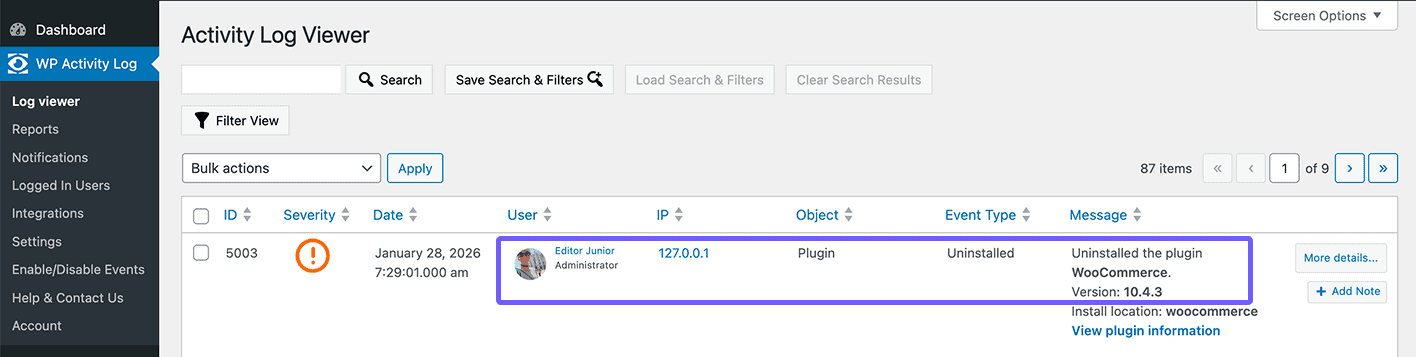
For example, if a junior team member uninstalls a plugin due to excessive permissions, logs make the issue immediately visible. The response is clear: adjust user roles and permissions accordingly, and have a brief sit-down with the employee to explain the issue.
4. Security and compliance
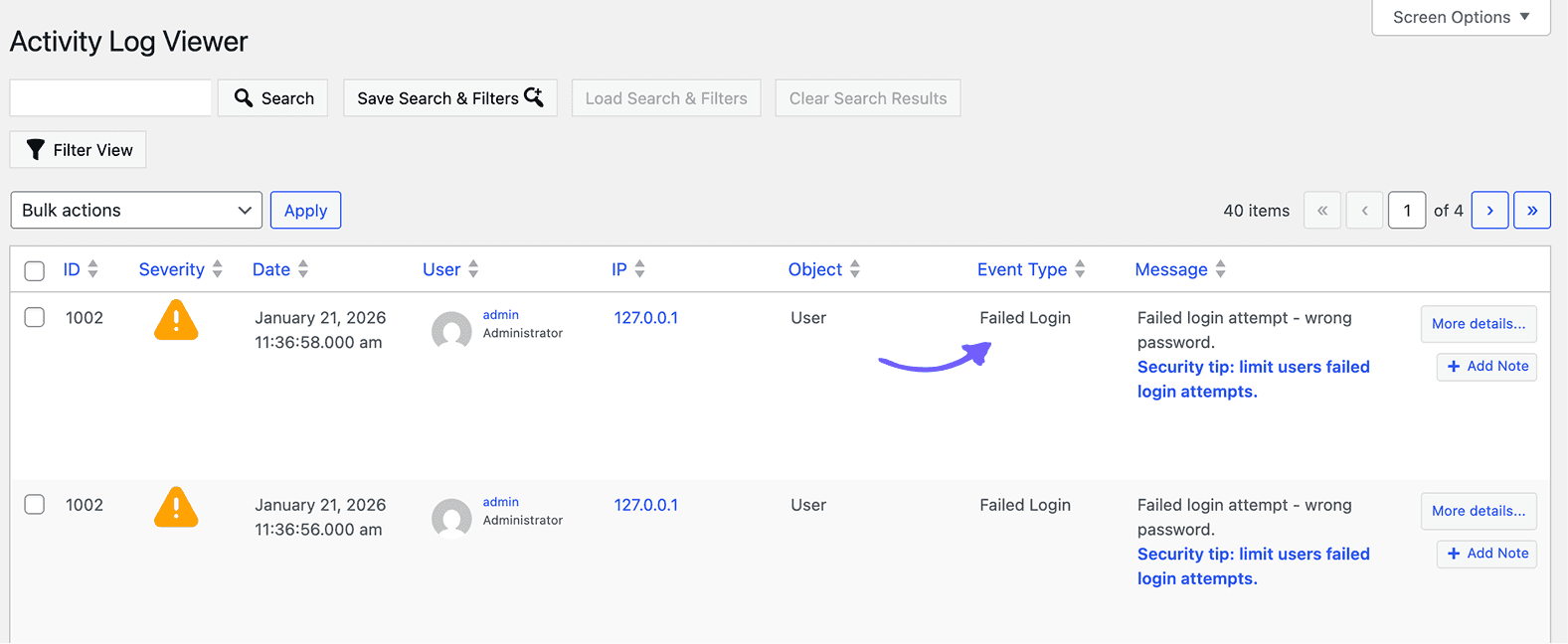
Logs help detect suspicious activity, such as unusual logins or repeated failed attempts. In the event of a breach, they are critical for understanding scope and impact.
How to Implement Audit Logging Across Client Sites
There are many WordPress plugins available, but, below, we’ll use WP Activity Log. It has 300,000+ active installations, more than 400 reviews on the WordPress repository, a 13-year history catering to thousands of agencies of different sizes, and is reliably maintained.
Step 1. Install the plugin
You can download the plugin for free from the WordPress repository or proceed with installing the premium version. Premium and enterprise versions include additional features, such as notifications, advanced search filters, saving the activity log to an external database, and more.
Whether you choose free or premium, the installation process is pretty simple:
- Go to WordPress dashboard > Plugins > Add plugin
- Search for “WP Activity Log” or upload the plugin .zip file
- Activate the plugin
- Complete the setup wizard
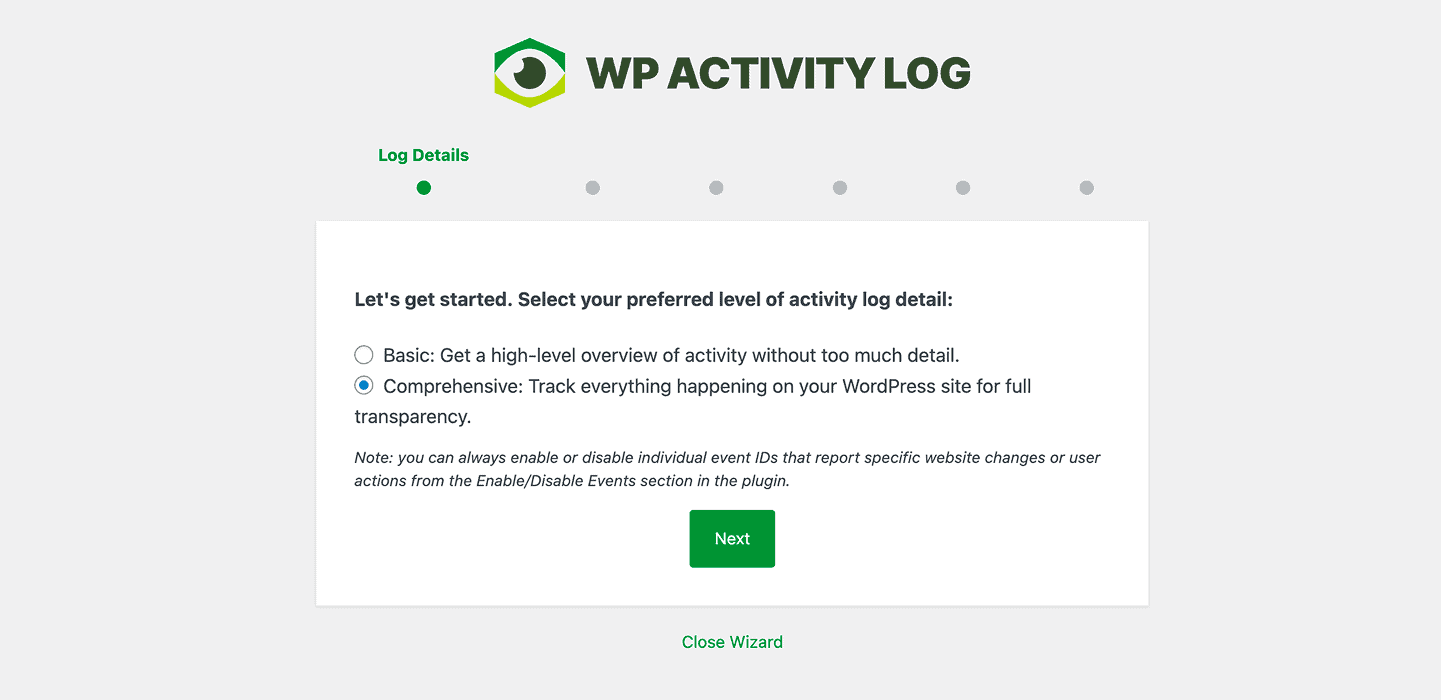
The wizard configures logging scope, retention, and other settings for the plugin to function properly. Once completed, logging begins based on selected event types. You can find the full event list in the official documentation.
Implementing audit logging effectively requires more than just installing a plugin. It involves defining clear policies and integrating logs into daily workflows.
Step 2. Set up alerts carefully
Focus on high-priority events and avoid alert fatigue, as too many notifications reduce effectiveness.
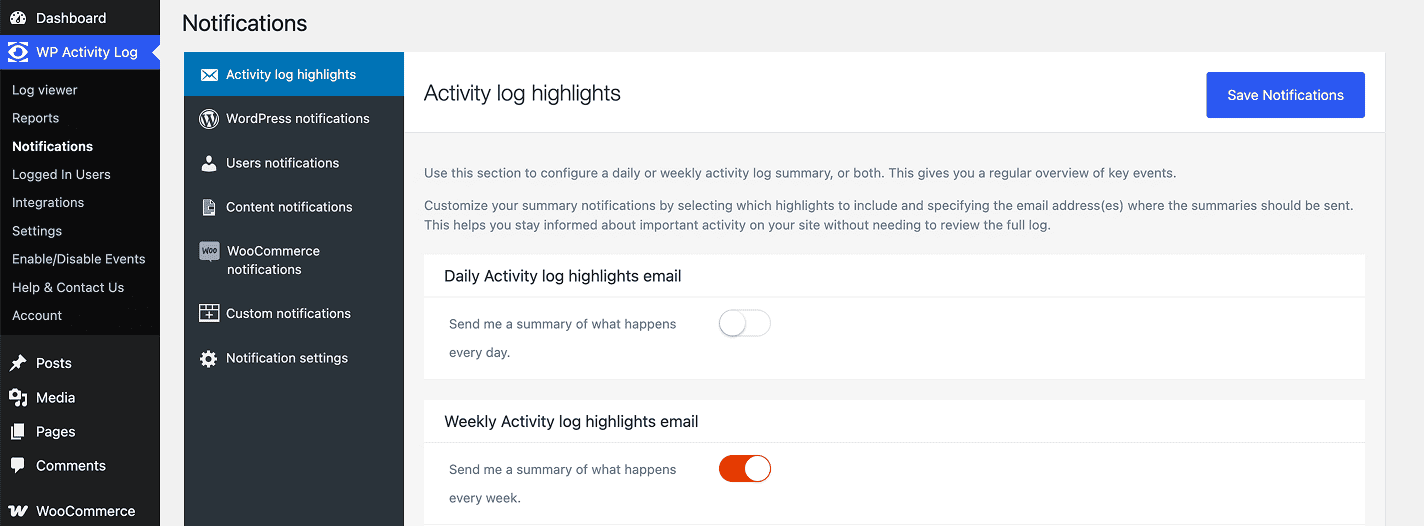
For instance, in the premium WP Activity Log version, you can modify which events trigger notifications, including custom notifications, as well as daily and weekly summaries.
Step 3. Secure and store logs properly
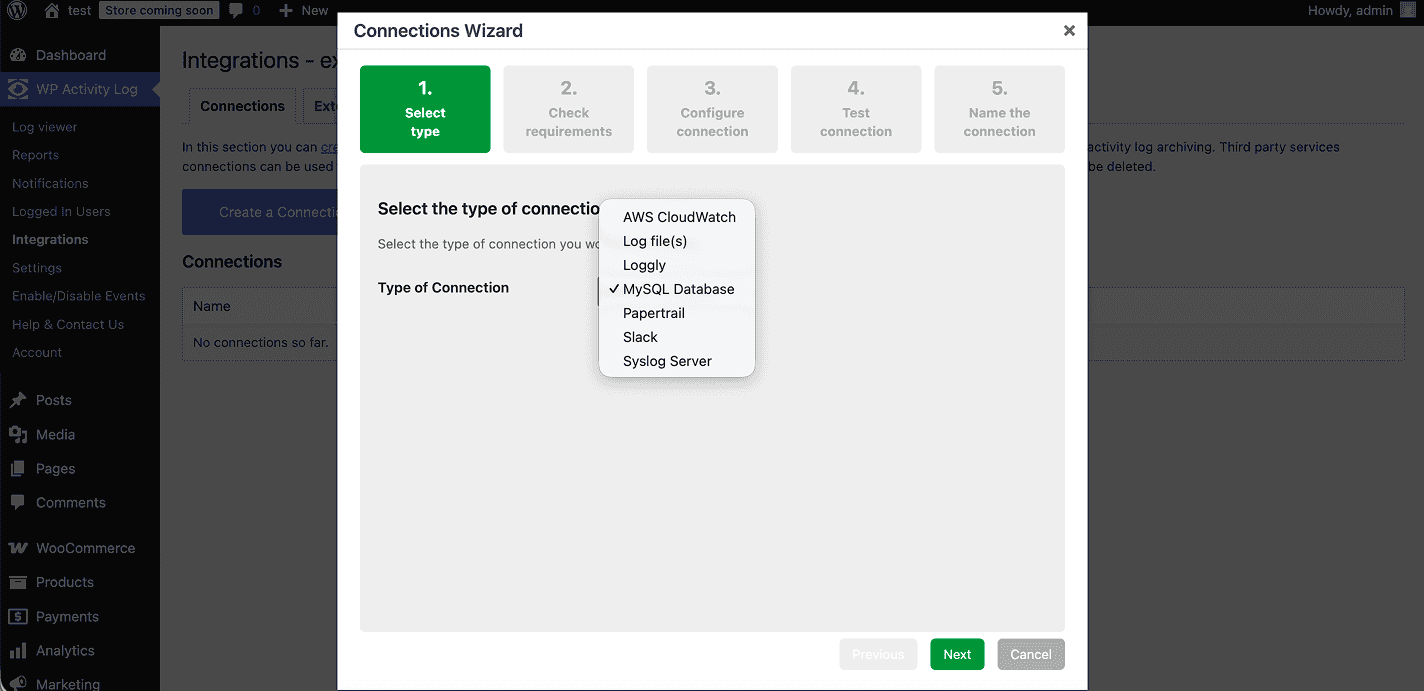
To ensure reliability and security, logs should be accessed only by administrators and, ideally, stored outside the WordPress database whenever possible. This approach improves resilience and scalability while protecting log integrity in the case of security issues.
Relying solely on the WordPress database can become limiting in high-scale or security-sensitive websites. Instead, logs can be written to an external system, such as a separate MySQL database or a centralized logging platform, keeping them isolated from the main site.
For agencies handling multiple sites, logs can be consolidated into a single shared database by assigning a unique table prefix to each site for organizational separation.
Step 4. Integrate logs into support workflows
Logs can be the first place your team looks when investigating issues. Over time, this shifts troubleshooting from guesswork to a structured process.
For example, a client says that a user suddenly has admin access they shouldn’t have. Instead of asking the team or checking manually, your support process starts with the audit logs. The logs show that earlier that day, a team member updated the user’s role while performing routine maintenance on multiple sites. The support agent can immediately identify the source, revert the role change, and update the ticket with a clear explanation.
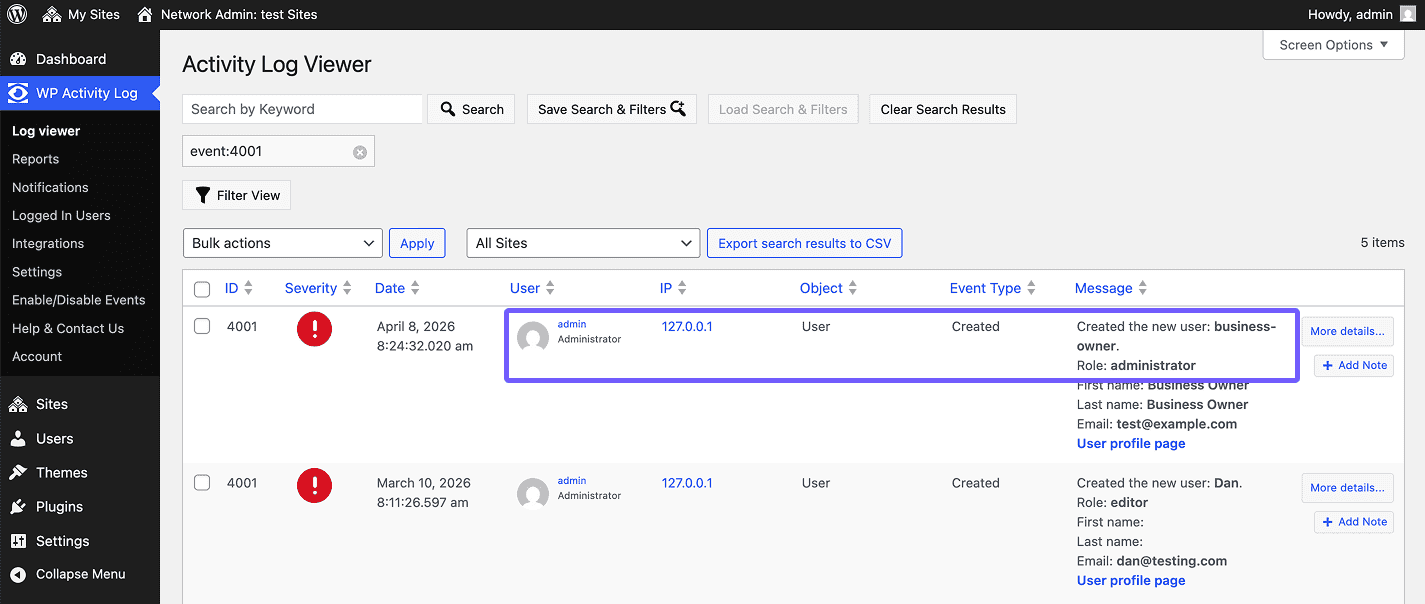
Over time, this pattern becomes standard: investigation begins with logs, reducing back-and-forth, speeding up resolution, and ensuring consistent handling across the team.
WP Activity Log Now Works With Atarim
The hardest part of audit logging usually comes after setup. The log records everything, but in a busy week nobody has time to read it across every client site, so most entries only get opened after something has already gone wrong.
That’s the gap the new integration between WP Activity Log and Atarim, the AI web agency for WordPress, is built to close. Connect a site to Atarim and the log you set up in the steps above starts working for you:
- Yesterday’s activity on every project. Once a day, Atarim pulls the previous day’s totals from WP Activity Log, covering all events, logins, and plugin and theme changes, onto each site’s project, so a spike stands out before a client spots it.
- Ask what changed, in plain language. Atarim’s AI project manager, Claro, can read the full log on the site for any time window, so “what changed before the checkout broke?” becomes a question you ask instead of an afternoon of filtering.
- AI changes on the record. When Atarim’s AI works on a site, every change WP Activity Log tracks is labeled AI Agent, with a link back to the task that made it. The label stays neutral, so agencies that white label Atarim keep their own branding.
- A way back. Changes made through Atarim can be rolled back at the element, page, plugin or site level.
- More with Premium. On WP Activity Log Premium, Atarim also links straight to the log filtered by category, such as logins or content changes.
- Suggested, never forced. WP Activity Log is the default activity log in Atarim’s Plugins Stack. Atarim suggests it when activity logs come up or when you ask for it, and nothing installs without your approval.
Want to see it in action? We’re letting AI loose on a live site on Tuesday, November 17, at 11 AM EST / 4 PM UK, with Robert Abela and Vito Peleg walking through every change as it lands in the log. It could go perfectly, or the room could catch fire with everyone watching. Either way, save your seat and come watch.
Can’t wait until then? You can see what Atarim would do for your agency at atarim.io.
From Guesswork to Clarity: Making Audit Logs Work for Your Agency
Audit logs are most effective when integrated into daily operations rather than used as a fallback tool. When properly implemented and managed, they provide a reliable source of truth, leading to:
✅ Faster troubleshooting
✅ Clearer client communication
✅ Improved accountability
Instead of reconstructing events, your team can directly observe what changed, when it changed, and who made the change.