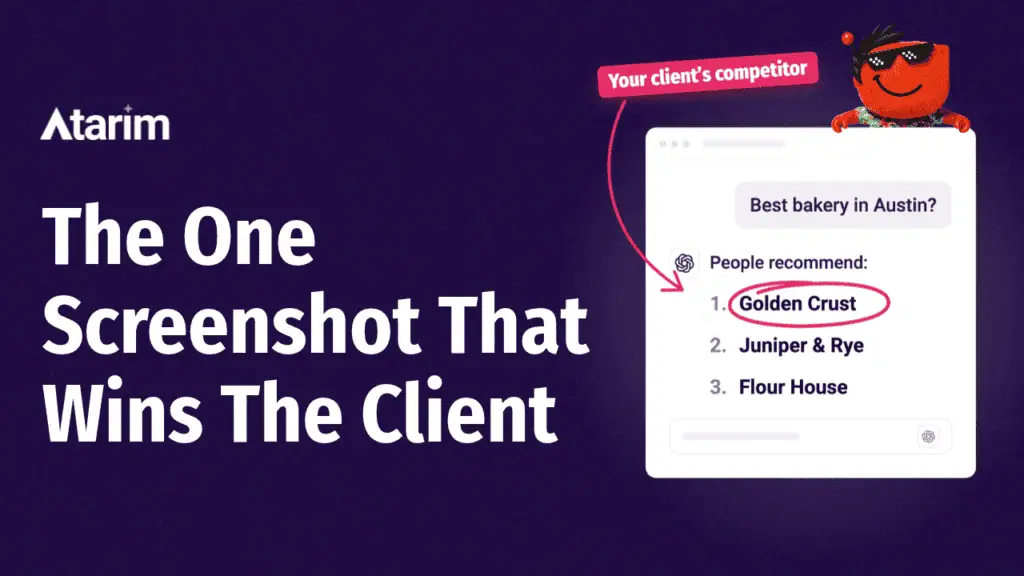
A client asks you, “Can you get us showing up in ChatGPT?” and you’re not quite sure what to say.
So you try it yourself. If they’re a plumber in Austin, you ask ChatGPT for the best plumber in Austin, and it names three businesses.
None of them are your client. Here’s how to change that.
The short answer: to rank in ChatGPT, let OpenAI’s OAI-SearchBot crawl the site, get it indexed in Bing, rewrite your key page so it answers buyer questions in the first two sentences, and get the business listed on the sources ChatGPT already cites. Then rerun the same 10 buyer questions to prove it worked.
This playbook is how to rank in ChatGPT for one client site, in the order we’d do it. There are seven steps, each with a check at the end so you know it worked before you move on.
Steps 1 to 5 fit in an afternoon, and step 1 gives you a before number so you can prove the result to your client later. Most of these steps also help with Perplexity, Gemini and Google’s AI Overviews.
Results aren’t guaranteed, though, so read the note on expectations in step 7 before you promise a client anything.
What you need before you start:
- One client site and admin access to it
- A free Bing Webmaster Tools account
- The client’s Google Analytics 4 property
- A spreadsheet with four columns: question, named, cited, named instead
Step 1: Record where your client stands today
Before you change anything, find out what ChatGPT says right now. This is your before number.
Write 10 questions a real buyer would type. Mix these four kinds:
- Best-of: “Who’s the best [service] in [city]?”
- Problem: “Who can fix [the problem your client solves]?”
- Comparison: “[Client] vs [competitor], which is better?”
- Direct: “What does [client] do and how much does it cost?”
Or let Claude write them for you:
My client is [business name], a [type of business] in [city]. Their main services are [list their services].
Write 10 questions a buyer would ask ChatGPT before hiring a business like this:
- 3 best-of questions
- 3 problem questions
- 2 comparison questions with their likely competitors
- 2 direct questions about the business itself
Put them in a table I can copy into a spreadsheet, with these columns: question, named (yes or no), cited (yes or no), and named instead.
Then run each question in ChatGPT with search turned on, in a temporary chat so your own history doesn’t skew the answer. For each one, log:
- Whether your client was named
- Whether their site was cited as a source
- Who got named instead
- Which sites ChatGPT cited, with the URLs
Answers shift from run to run, so ask each question twice and count it as named if your client shows up in either.
ChatGPT can also factor in roughly where you’re asking from on local questions, so if you’re not in the client’s area, keep the city in every question. Screenshot everything.
Then ask one more question, in a fresh temporary chat:
Search the internet. What do you know about [business name] in [city]?
Compare the answer with what’s true today. Wrong prices, old services, a past address or a missing specialty are easy wins, and the sources ChatGPT lists usually show you where it picked up each detail.
Add those URLs to your spreadsheet too.
Check: you have 10 rows filled in and one number, such as “named in 2 out of 10.” That’s your before.
Step 2: Let OpenAI’s crawlers reach the site

ChatGPT can’t cite a page it isn’t allowed to read.
OpenAI uses separate crawlers for separate jobs, and only some of them matter here:
- OAI-SearchBot finds pages for ChatGPT’s search answers. This is the one to allow.
- ChatGPT-User fetches a page when someone in ChatGPT asks about it. OpenAI says it isn’t used to decide what appears in search, and robots.txt rules may not apply to it, so there’s nothing to change here.
- GPTBot collects content to train models. OpenAI controls it separately from search, so a site can block it and still appear in ChatGPT search answers. This one is your client’s call.
Open [client’s domain]/robots.txt and make sure OAI-SearchBot isn’t disallowed. Then check the CDN or firewall.
Cloudflare’s AI bot settings, Bot Fight Mode and some security plugins can block these bots at the edge, even when robots.txt is wide open. In a test of 746 Cloudflare sites reported by Semrush, 16.9% refused OAI-SearchBot before Cloudflare changed its defaults on September 15, 2026, and 3.0% refused it after.
On Cloudflare, open the AI Crawl Control settings and make sure search crawlers are allowed.
Check: robots.txt doesn’t block OAI-SearchBot, and the CDN’s bot settings don’t challenge it. If you can see server logs, look for OAI-SearchBot requests getting a 200 response, which means the page loaded for the bot.
Step 3: Get the site indexed in Bing
ChatGPT’s search draws on third-party search providers, and OpenAI names Bing as one of them.
ChatGPT has also been seen pulling results from Google, so keep the client’s Google rankings healthy too. Bing is a cheap fix, so it’s worth doing either way.
Most agencies set up Google Search Console and never touch Bing. Fixing that takes about 15 minutes:
- Sign in to Bing Webmaster Tools and import the site from Google Search Console. It brings the verification and sitemap across in one go.
- Submit the XML sitemap if the import didn’t.
- Run the URL Inspection tool on the 5 pages that matter most, such as the homepage, main service pages and pricing page, and send any that are missing through URL Submission.
- Turn on IndexNow if the client’s SEO plugin supports it. It pings Bing whenever a page is added or updated, so changes get picked up right away instead of waiting for the next crawl.
Check: search site:[client’s domain] on bing.com, and all 5 of those key pages show up.
Step 4: Find out what ChatGPT is citing instead

Your step 1 spreadsheet already holds the answer to why a competitor got named. Go to the cited URLs column and sort them into piles:
- The competitor’s own pages. Usually a service or pricing page that answers the question directly.
- Roundups and lists. “Best [service] in [city]” articles from local publications or industry blogs.
- Directories and review sites. Google Business Profile, Yelp, Clutch, G2 or whatever fits the industry.
- Forums. Reddit threads and Quora answers where someone recommended a business.
Open the three URLs that came up most often and write down what each one has that your client’s site doesn’t.
It’s usually something concrete, such as real prices, a comparison table, a city name in the heading, or a list of reviews.
Check: you have a short list of the sources ChatGPT trusts for this client’s market, and three specific things the winning pages do.
Step 5: Rewrite the page ChatGPT should cite
Pick the one page that should answer most of your 10 questions. For a local business, that’s usually the main service page. Then make it easy to quote:
- Make the question the heading. Use the wording buyers use, such as “How much does [service] cost in [city]?”
- Answer in the first two sentences under it. Aim for 40 to 60 words that make sense on their own, before any backstory.
- Add specifics a model can’t find elsewhere. Real price ranges, timelines, service areas, the number of projects completed, named clients if they’ve agreed to it.
- Describe the business the same way on every page. Use one consistent line for what the client does and where, since AI tools learn who a business is from how its own pages describe it.
- Put comparisons and steps in lists or tables. They’re easier to lift cleanly than paragraphs.
- Show a visible “last updated” date and who wrote the page.
- Make sure the text is in the page’s HTML. If the words only appear after JavaScript runs, some crawlers will never see them.
- Add LocalBusiness or Organization schema. It helps crawlers read who the business is, though there’s no clear evidence it drives ChatGPT citations on its own.
Not sure which specifics to add? Ask ChatGPT directly:
What do you look for when recommending a [type of business] in [city]?
It will list the things it says it weighs, such as reviews, pricing transparency, certifications or integrations. Treat that list as a checklist to test against the page.
It’s ChatGPT describing itself, so it’s a strong hint about what to include, though it isn’t proof of how sources get picked.
Check: copy the two sentences under each heading into a blank note. If each pair answers its heading without the rest of the page, you’re done.
Step 6: Get your client named where ChatGPT looks
ChatGPT leans on what other sites say about a business, so some of this work happens off the client’s site.
It also helps with answers where ChatGPT doesn’t search at all and replies from what it learned in training, which only shift as the business gets mentioned across the web over time.
Go back to the sources you sorted in step 4 and work through them in this order:
- Directories and review sites. Claim or update the client’s listings, including Bing Places (Bing’s version of Google Business Profile) for local businesses, and make sure the name, address, phone number and one-line description match the website exactly. While you’re there, fix anything outdated ChatGPT repeated in step 1, such as an old price or a past address, on every listing and on the client’s own pages.
- Roundup articles. Email the author of each “best [service] in [city]” list that ChatGPT cited and ask to be considered for the next update. If the author’s email isn’t on the page, a tool like Hunter can find it. Include one specific reason, such as a result, an award or a review count.
- Forums. If there’s a Reddit thread where people ask for recommendations, ask a happy customer whether they’d be willing to share their experience. Skip anything that looks like planting posts. Moderators remove it, and it can hurt the business.
Not sure what to say in the roundup emails? Let Claude draft the first one:
Write a short email to [author name], who wrote [article title] for [publication]. My client is [business name], a [type of business] in [city].
Ask to be considered for the next update of the list, and give one specific reason my client belongs on it: [a result, an award or a review count].
Keep it under 100 words, friendly and easy to say yes to.
Check: your client is listed on at least two of the sources ChatGPT cited in step 1, with details that match the site word for word.
Step 7: Measure the after

Give it four weeks, then rerun the exact same 10 questions the exact same way: search on, temporary chat, twice each.
Then put the two snapshots side by side. Here’s what a good result looks like:
| Before | After | |
|---|---|---|
| Questions where your client was named | 2 out of 10 | 6 out of 10 |
| Questions where their site was cited | 1 out of 10 | 4 out of 10 |
| Questions where their top competitor was named | 8 out of 10 | 5 out of 10 |
Then check Google Analytics 4. Go to the traffic acquisition report and look for sessions from chatgpt.com.
ChatGPT adds utm_source=chatgpt.com to many of the links it shows, so these visits are easier to spot than most. Some still arrive without a referrer and land in Direct, so treat the number as a minimum.
To make this a one-click check every month, set up a custom channel group.
- In GA4, go to Admin, then Data display, then Channel groups, and create a new group.
- Add a channel called AI referrals, set its condition to Source matches regex
chatgpt.com|perplexity.ai|gemini.google.com|copilot.microsoft.com, and drag it above Referral so those visits land in it.
For a second data point, open the AI Performance report in Bing Webmaster Tools.
It counts how often the site is cited in Microsoft Copilot and Bing’s AI answers, which isn’t ChatGPT, but it’s the closest thing to official AI citation data you can get today.
Be upfront with your client about what to expect. Nobody can guarantee a spot in ChatGPT’s answers. They change from run to run, and four weeks isn’t always enough to move the number.
What you can promise is the work in this playbook and a monthly measurement that shows the trend.
Keep the before and after screenshots together. A client who sees their own name show up in a ChatGPT answer where a competitor used to be doesn’t need the rest of the report explained.
Check: you have the before and after table, the GA4 number, and the screenshots. Run the same test every month from here so you have a trend instead of a one-off.
Frequently asked questions
Can you pay to rank in ChatGPT?
No. ChatGPT now shows sponsored ads to some users, but OpenAI says ads are clearly labeled, kept separate from the answers, and don’t influence them. The only way into the answers themselves is the work in this playbook.
How long does it take to rank in ChatGPT?
The setup in steps 1 to 5 fits in an afternoon, and OpenAI says robots.txt changes can take about 24 hours to reach its search systems.
Give the rest four weeks before you rerun your questions, then keep measuring monthly, since the number tends to move gradually.
Does schema markup help you rank in ChatGPT?
It helps crawlers understand who the business is, so it’s worth adding. There’s no clear evidence that schema alone gets a site cited, though. Answer-first copy, real specifics and mentions on the sites ChatGPT already trusts do more of the work.
Do you need an llms.txt file?
Not to rank in ChatGPT. An SE Ranking study of about 300,000 domains found no link between having the file and how often a site gets cited in AI answers.
Ahrefs found 97% of llms.txt files got zero requests in May 2026, and Google added a note in May 2026 saying its search doesn’t use these files.
Where llms.txt still has a real use is giving coding assistants a clean map of developer docs, which most client sites don’t have. Adding one won’t hurt, but the steps above will do far more.
Turning this into paid work
This playbook covers the doing. If you want to offer it to clients as a service, these two posts cover the rest:
- How to sell AI visibility audits to clients walks through turning step 1 into a paid audit and presenting it.
- How to sell GEO services to clients covers packaging the ongoing work and what goes in the monthly report.
Run it on every client site, every month
One site in an afternoon is doable. Twenty sites every month is where it stops getting done.
Atarim’s AI team, the Inner Circle, runs this playbook across your whole client list.
- Index, its SEO specialist, checks who ChatGPT cites and whether each client gets mentioned.
- Lexi, its copywriter, rewrites the pages that should be cited, in the client’s own voice.
Set up a workflow to rerun your 10 questions each month, and the before and after lands in front of you. Nothing changes on a client’s site until you approve it.
Paste a client’s URL on atarim.io, then ask Index where their site stands in ChatGPT today.