How to Organize Projects for Maximum Efficiency
Workspaces, folders and stages — three levels of structure, and knowing which to use for what.

Atarim gives you three levels of structure, and most disorganisation comes from using the wrong one. Workspaces separate, folders group, stages sequence.
Structure decided early is far cheaper than structure retrofitted.
Atarim gives you three levels of structure, and most disorganisation comes from using the wrong one. Workspaces separate, folders group, stages sequence.
| Level | What it does | Use it when |
|---|---|---|
| Workspace | Complete separation — projects, email inboxes, integrations, tasks and user access are all siloed. | Different brands, clients or departments that shouldn’t see each other’s work. |
| Folder | Groups projects within a workspace, with team access assigned at folder level. | Related projects for one client or objective. |
| Project stage | Sequences the work inside a project. | Showing which phase something is in. |
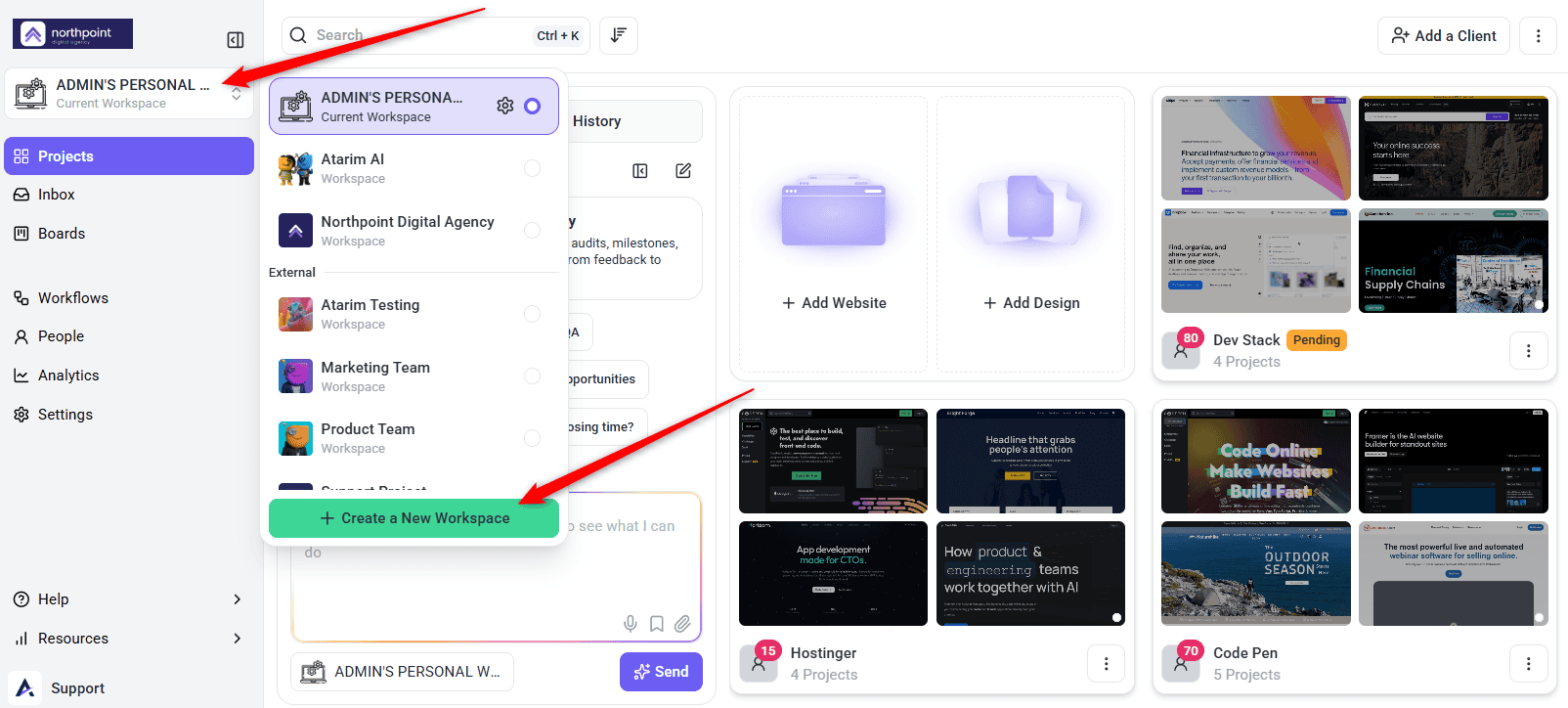
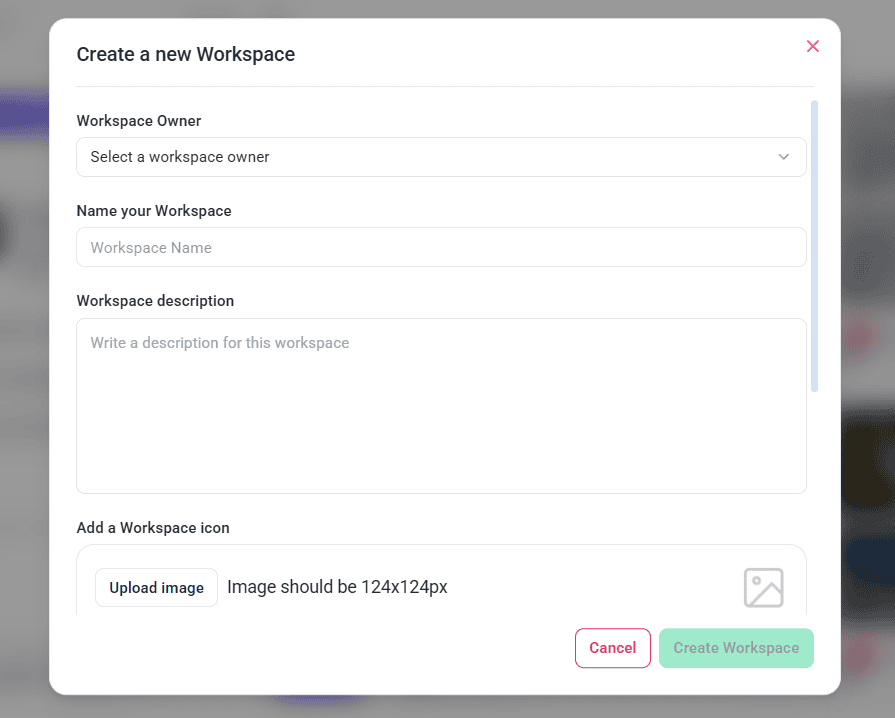
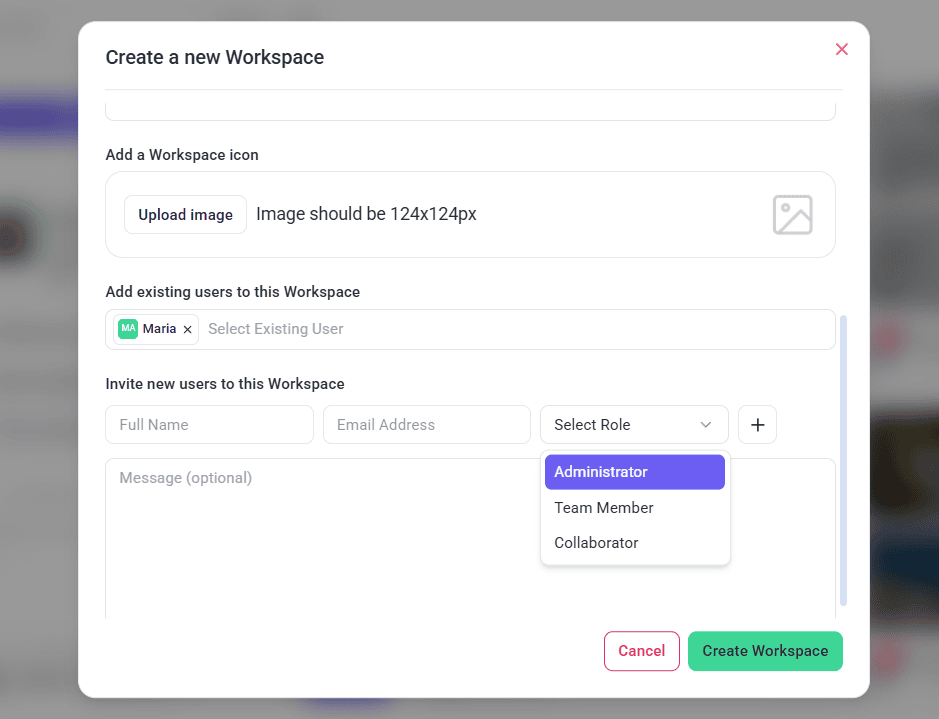
1. Set Up Workspaces
Workspaces separate things entirely. Anything that only needs grouping is better handled by a folder.
Instructions:
2. Work the Projects Screen
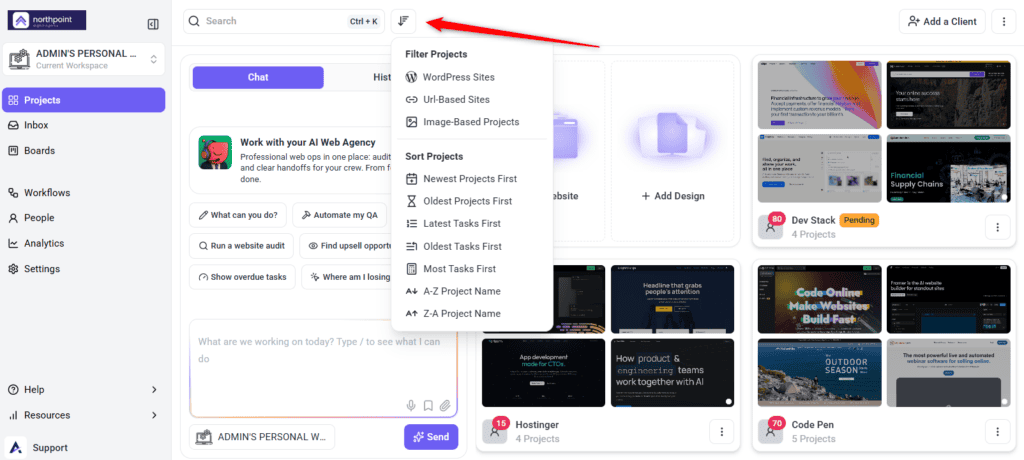
Projects can arrive three ways — by URL, through the plugin, or as an uploaded design — and all of them land in the same grid.
Instructions:
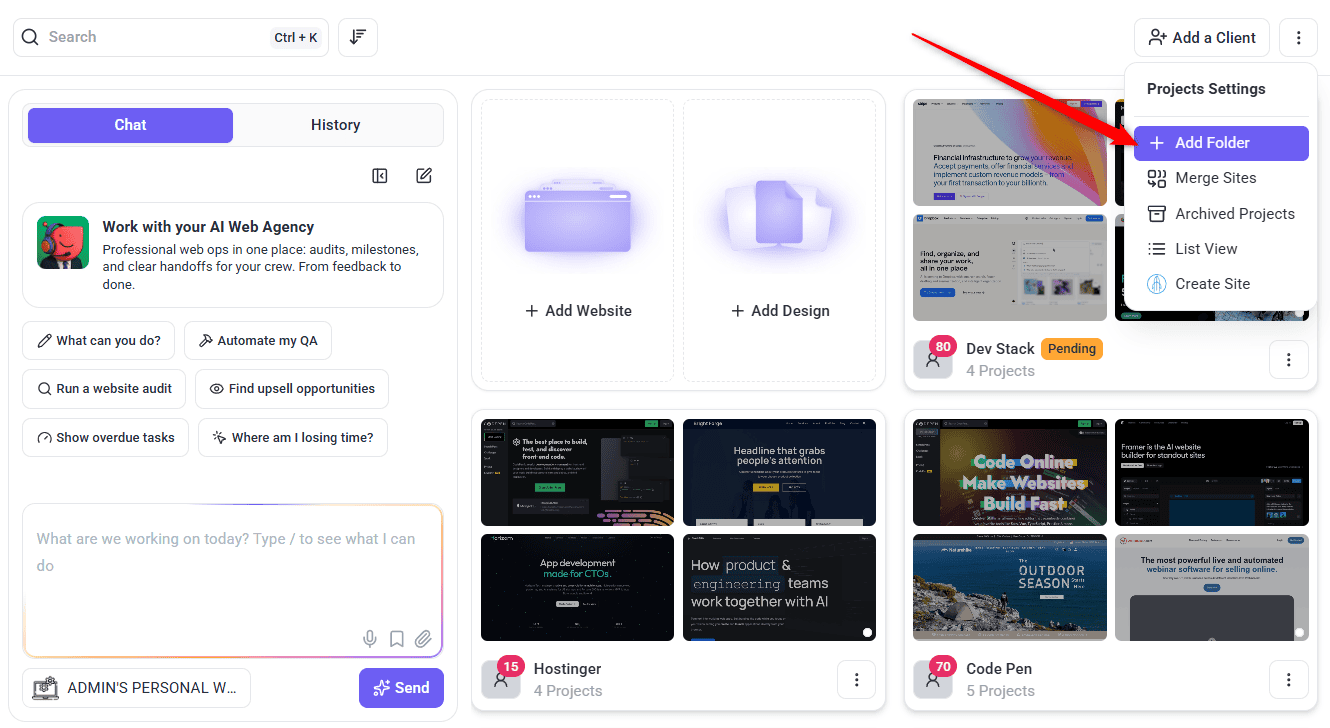
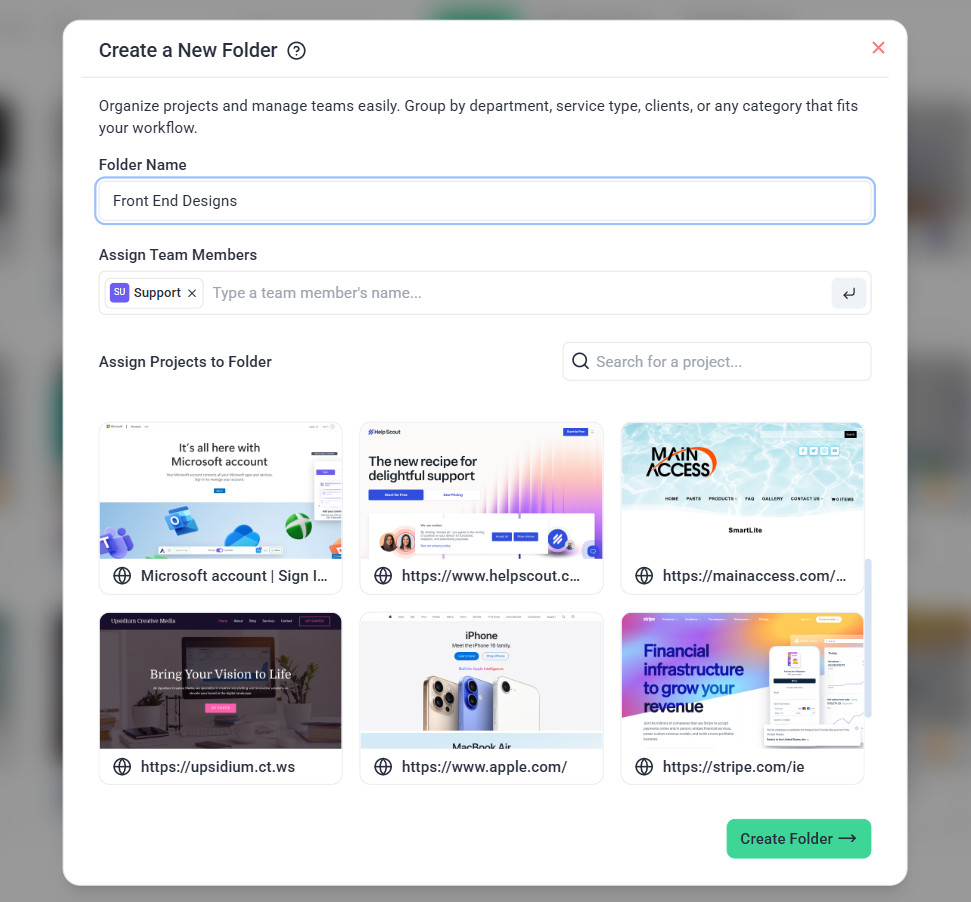
3. Group Projects into Folders
There are two ways to create a folder, and the quicker one depends on what you’re doing.
Instructions:
4. Use Project Stages for Timelines
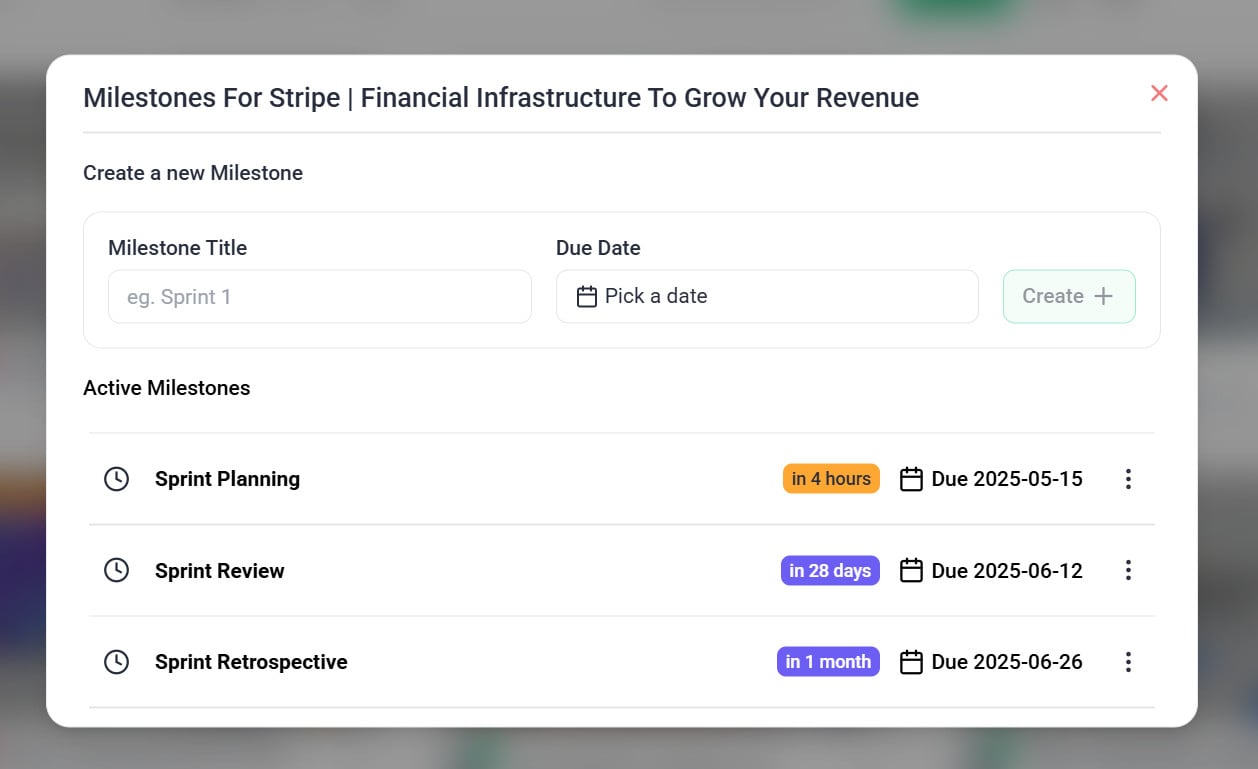
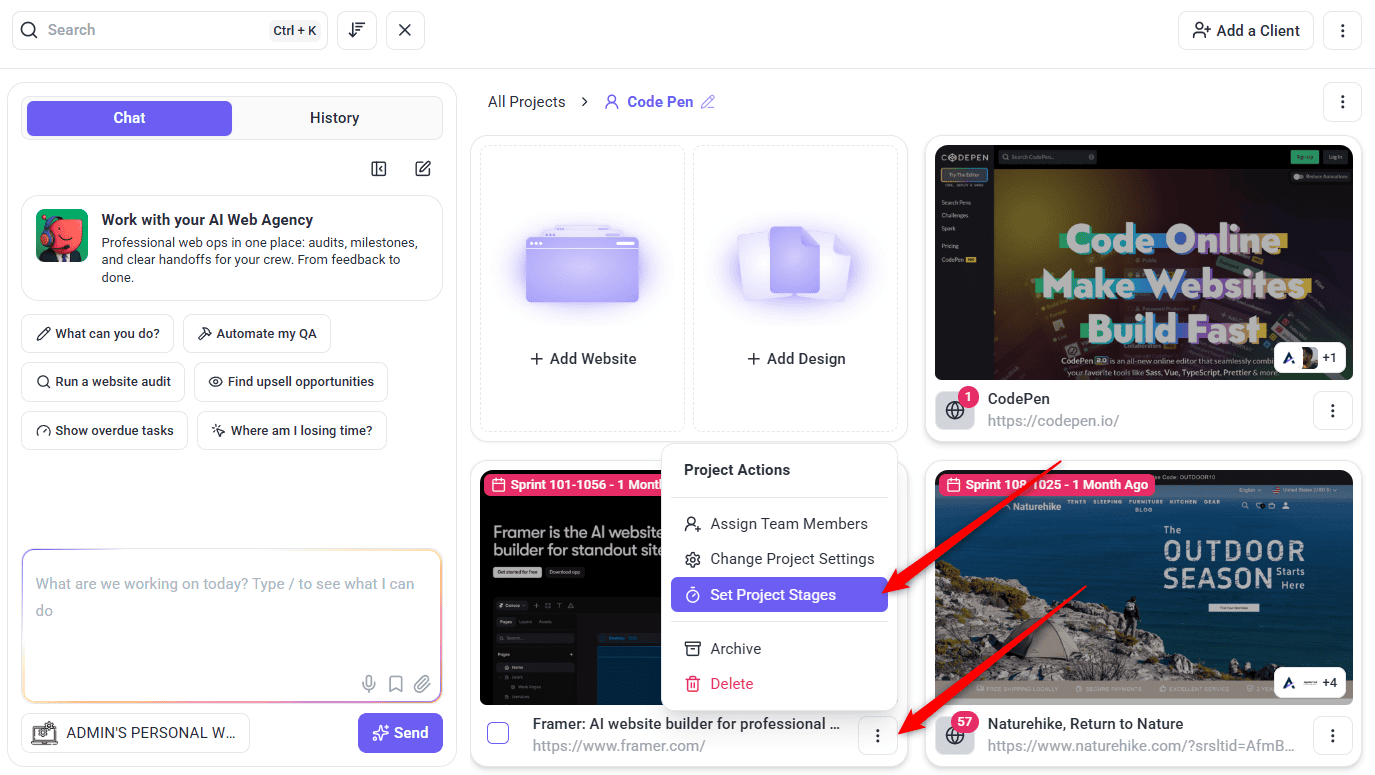
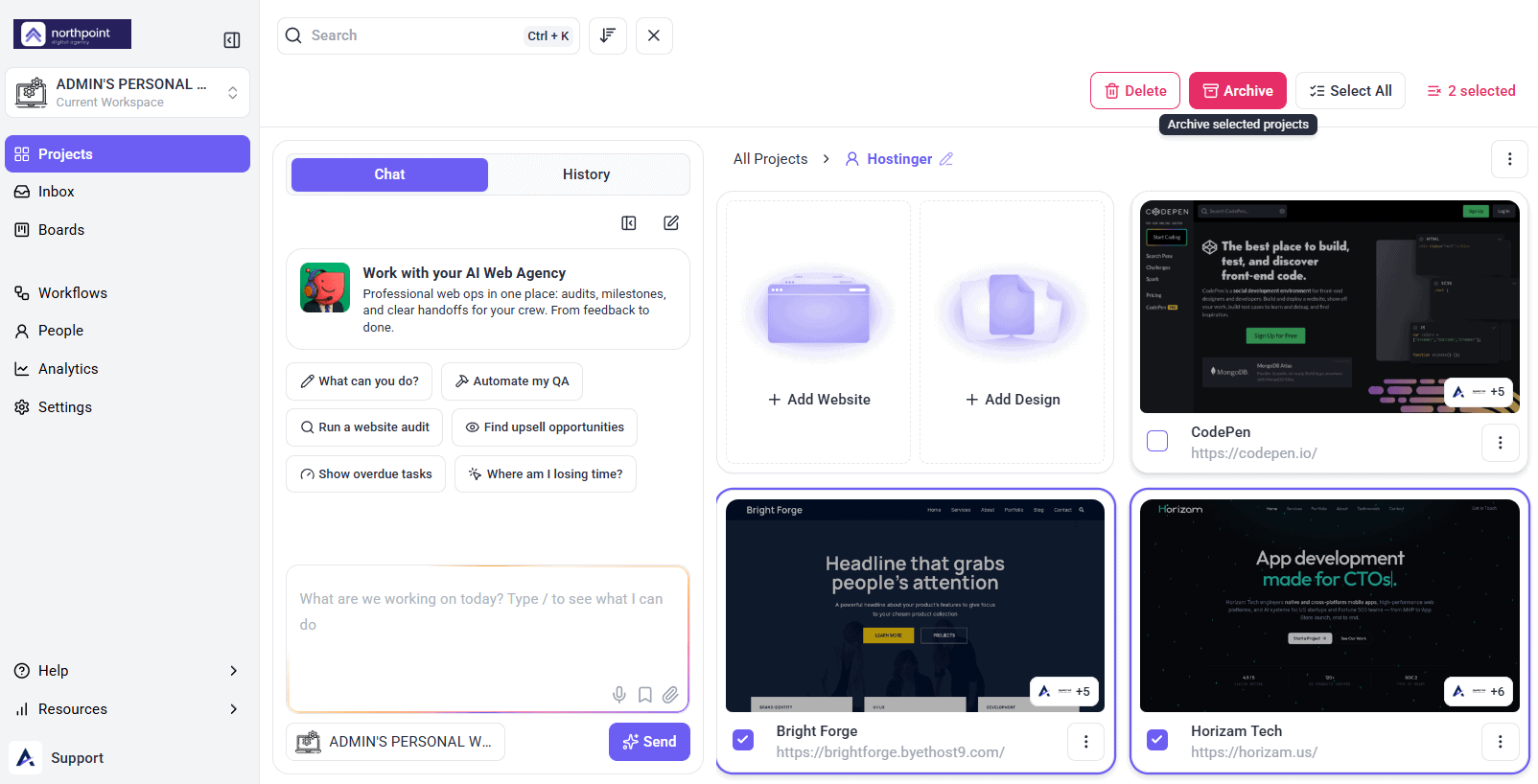
5. Archive Rather Than Delete
FAQs
Can I move projects between folders?
Yes. Unassign the project from one folder, then assign it to another.
What happens if I delete a project?
It’s permanently removed and can’t be recovered. Archive instead if there’s any chance you’ll want it.
How do I share a folder with my team?
Assign team members at folder level — everything inside becomes accessible automatically.
Workspace or folder?
Workspaces silo everything, including inboxes and integrations. Folders group projects within a workspace. Use a folder unless you genuinely need separation.
Do archived projects count against my quota?
No. That’s what makes archiving the better option when you’re near your limit.
How do I create a folder?
Drag one project onto another, or create the folder directly and assign projects and team members to it.
Common issues
- A colleague can’t see a project — check folder assignment. Access is granted at folder level.
- You’ve hit your project limit — archive inactive projects. Archived ones don’t count against the quota.
- You deleted something you needed — deletion is permanent. Contact support, but recovery isn’t guaranteed.
- Only one Projects layout is available — List View is a plan feature. The lock names the minimum plan required.
- Too many workspaces to manage — use folders instead where full separation isn’t needed.
- Clients ask where things stand — share project stages, and tell them directly when a stage changes.
Conclusion
Workspaces separate, folders group, stages sequence. Most organisational trouble comes from using a workspace where a folder would do, which means reconfiguring inboxes and integrations for no real gain.
Assign access at folder level, archive rather than delete, and revisit the structure as the portfolio grows. Discover Managing Multiple Projects Efficiently
Tips & best practices
- Use folders before workspaces unless you need full separation.
- Assign team access at folder level rather than per project.
- Archive completed projects to keep the dashboard clear and free slots.
- Never delete when archiving would do — deletion can’t be undone.
- Use boards for the overview and the Inbox for detailed task work.
- Revisit your structure as the portfolio grows.