Tips for Faster Feedback Loops with Atarim
Six ways to shorten the gap between “here’s the work” and “that’s approved”.
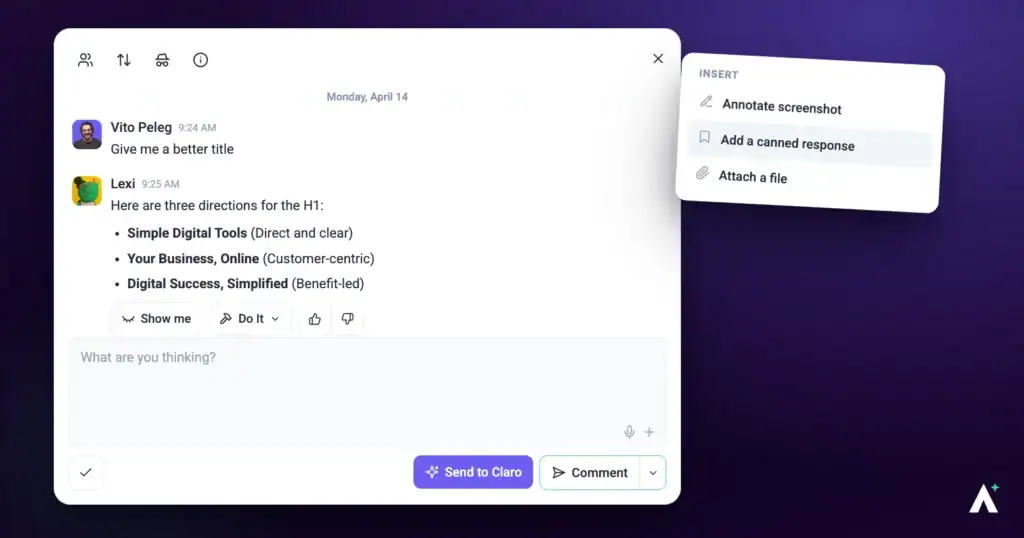
A slow feedback loop is rarely one big delay — it’s several small round trips. Clarifying what a comment meant, finding which page it was about, waiting for someone to notice it. Each of these removes one.
The goal is one round, not three.
1. Comment Directly on the Work
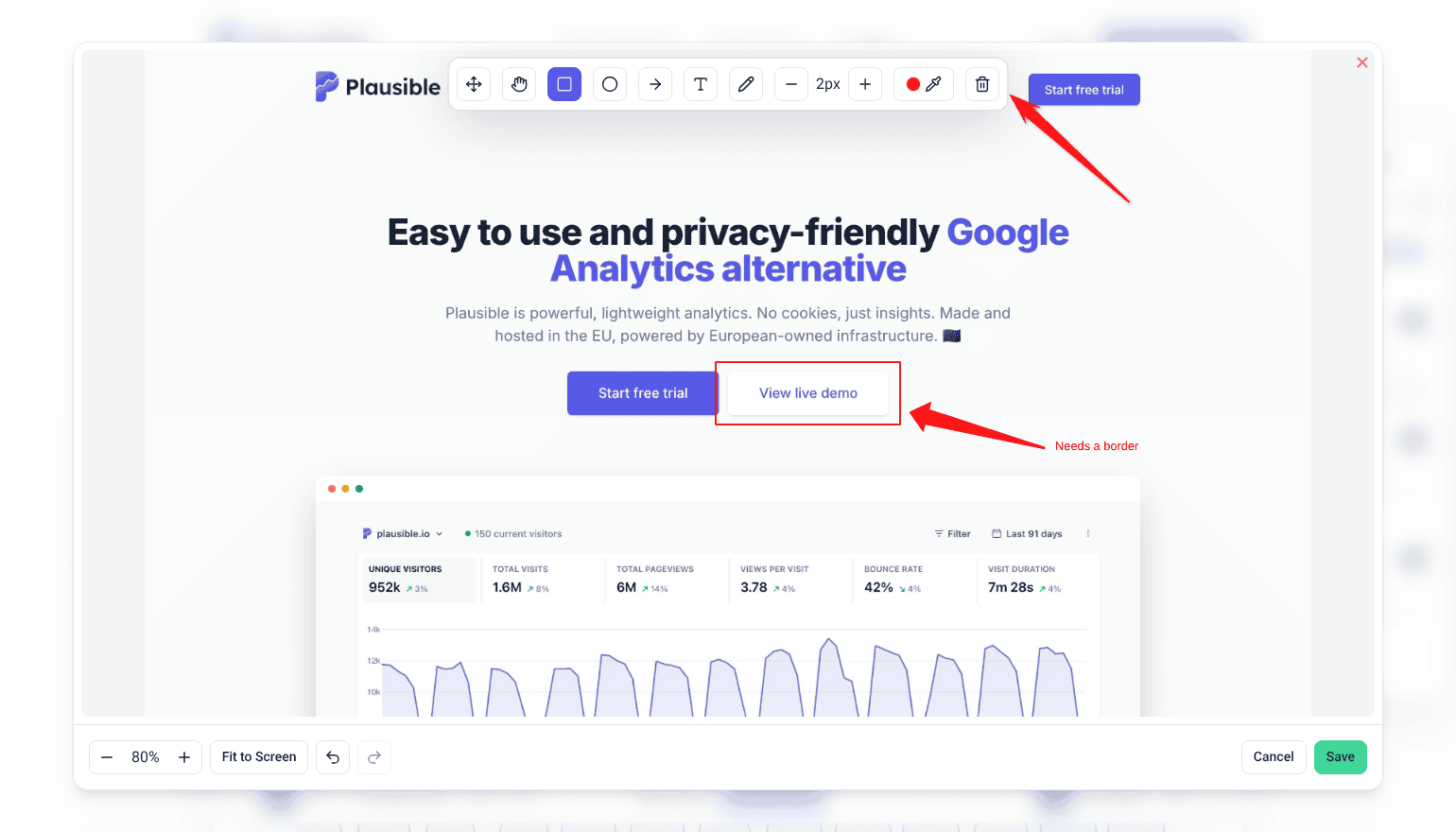
Feedback attached to the element it concerns removes the round trip of asking which part was meant.
Instructions:
- Open a page or design in visual collaboration.
- Switch to Comment mode.
- Select the element that needs attention and leave your feedback.
- Assign the resulting task to whoever will act on it.
2. Review with AI Before the Client Sees It
The fastest feedback round is the one that doesn’t happen. Running an AI review first catches the issues a client would otherwise spend a round reporting. A review works down the page one screen-height section at a time, and each section uses 10 credits. With Index switched on, it adds one more 10-credit pass.
| Specialist | Catches |
|---|---|
| Pixel | Visual and design problems. |
| Navi | UX and accessibility issues. |
| Index | SEO and performance. |
| Lexi | Copy that needs strengthening. |
| Glitch | Functional bugs. |
| Claro | Clarity, and a strategic overview of the page. |
3. Organise with Folders and Filters
- Group related projects into folders for easier navigation.
- Filter tasks by priority, status or tag to focus on what matters.
4. Set Project Stages for Accountability
Stages give the client somewhere to look instead of asking you where things stand.
Instructions:
- On the Projects screen, open the project’s ⋮ menu and select Set Project Stages.
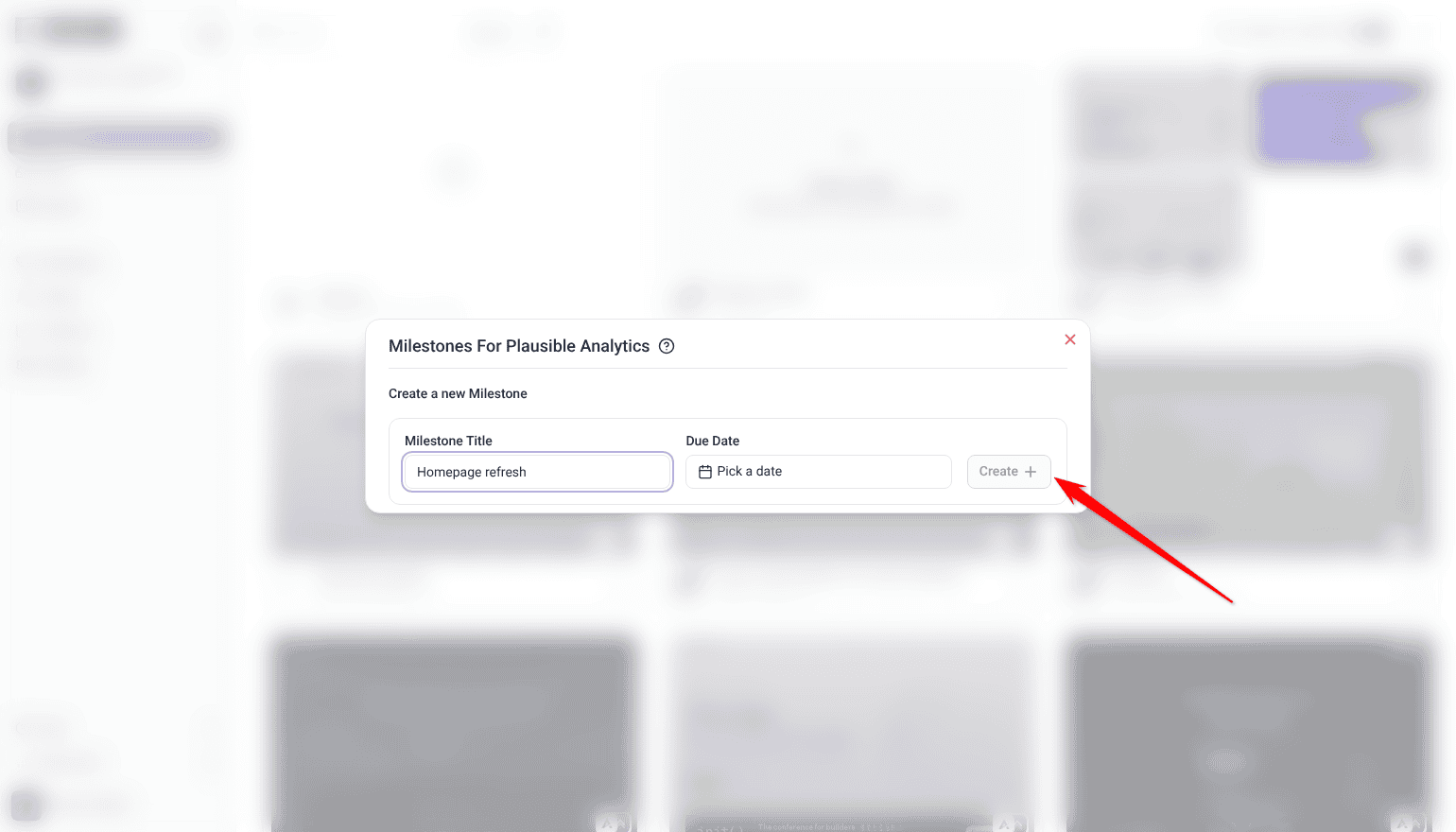
- Under Create a new Milestone, enter a Milestone Title for each stage your work actually runs through.
- Set a Due Date, then select Create.
- Share the stages with clients so progress is visible.
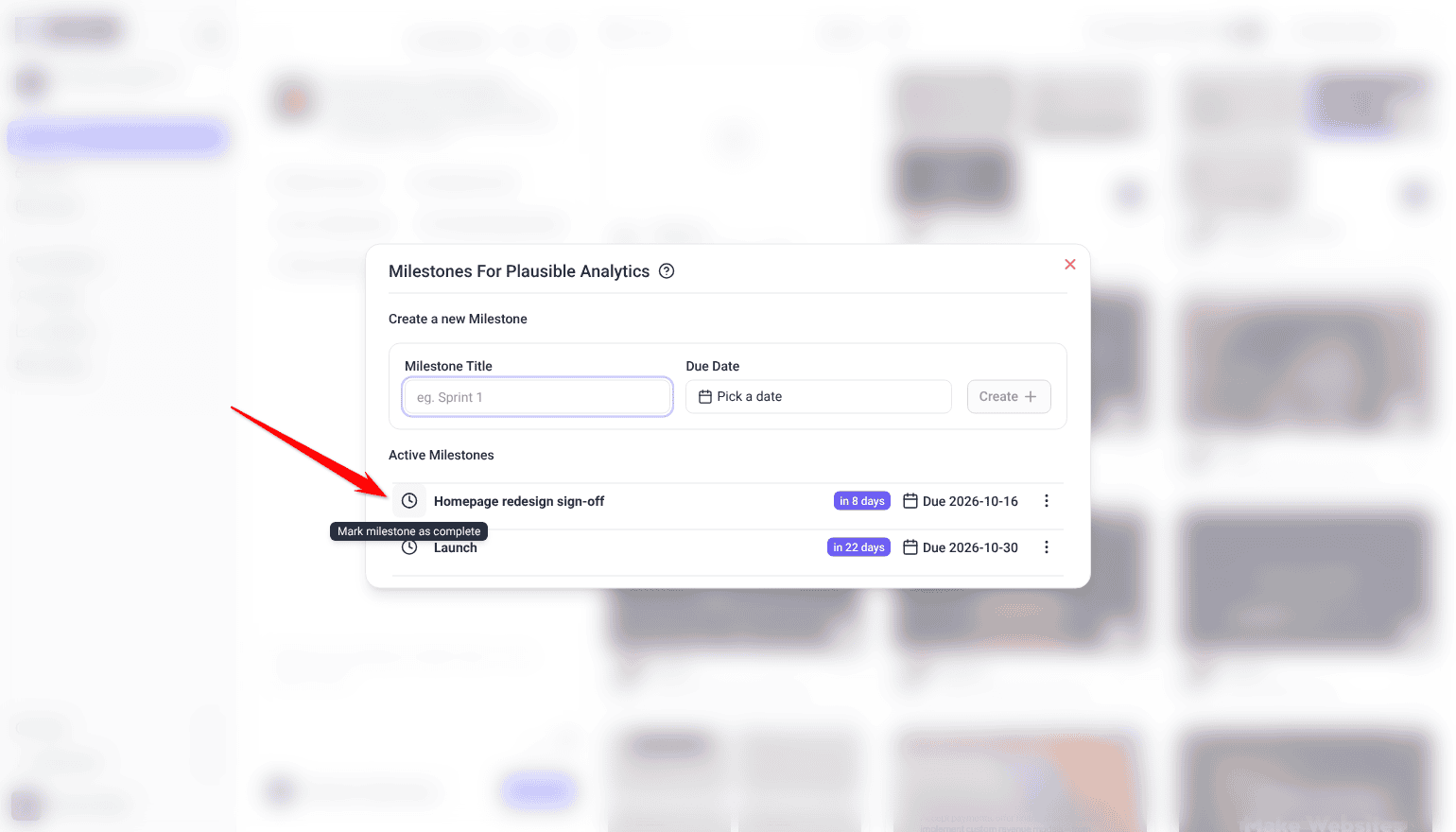
- When a stage is finished, select the clock icon beside it (Mark milestone as complete).
Project stages are a paid feature, and Team Members don’t see Set Project Stages by default.
5. Get Notifications Right
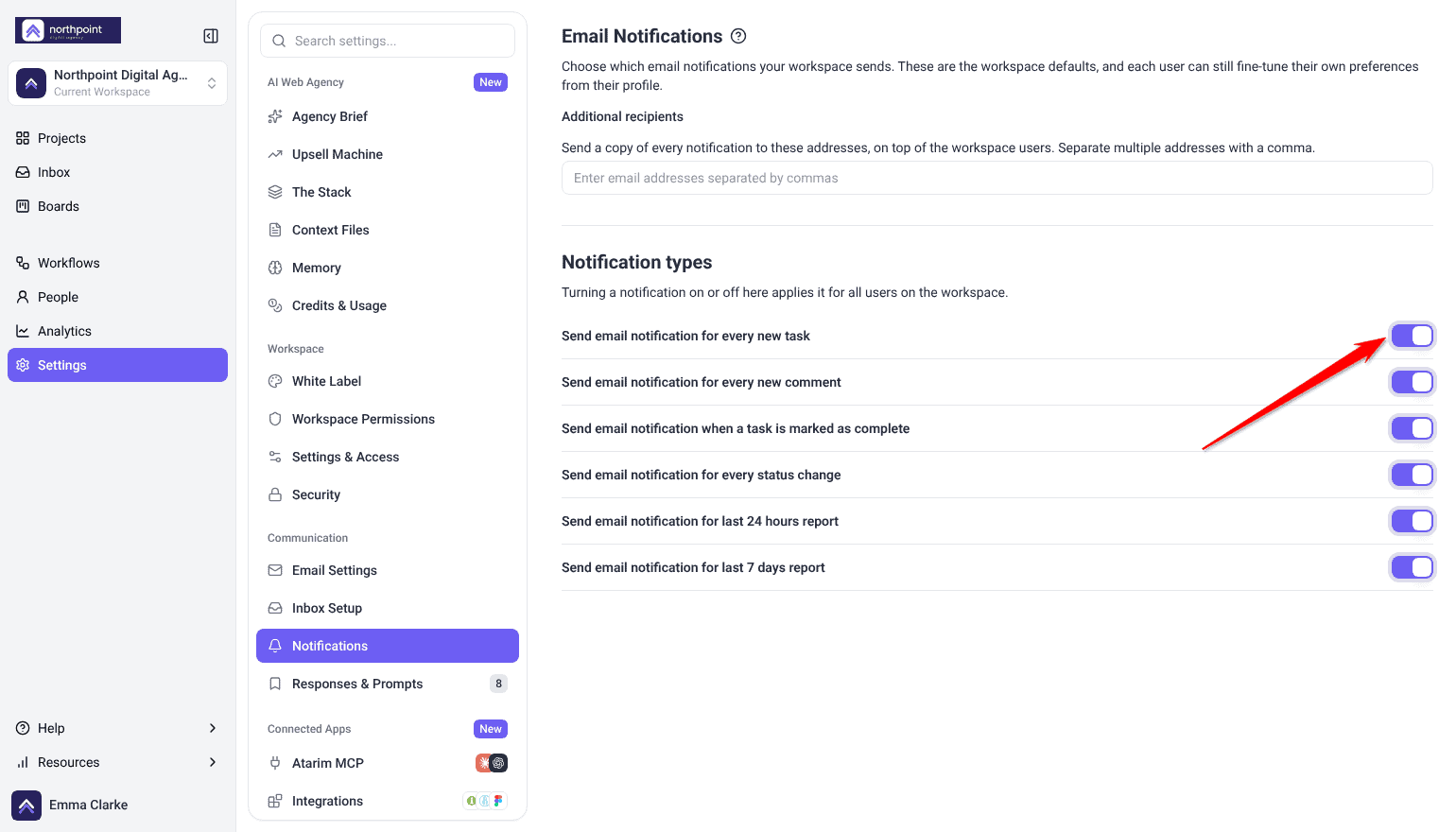
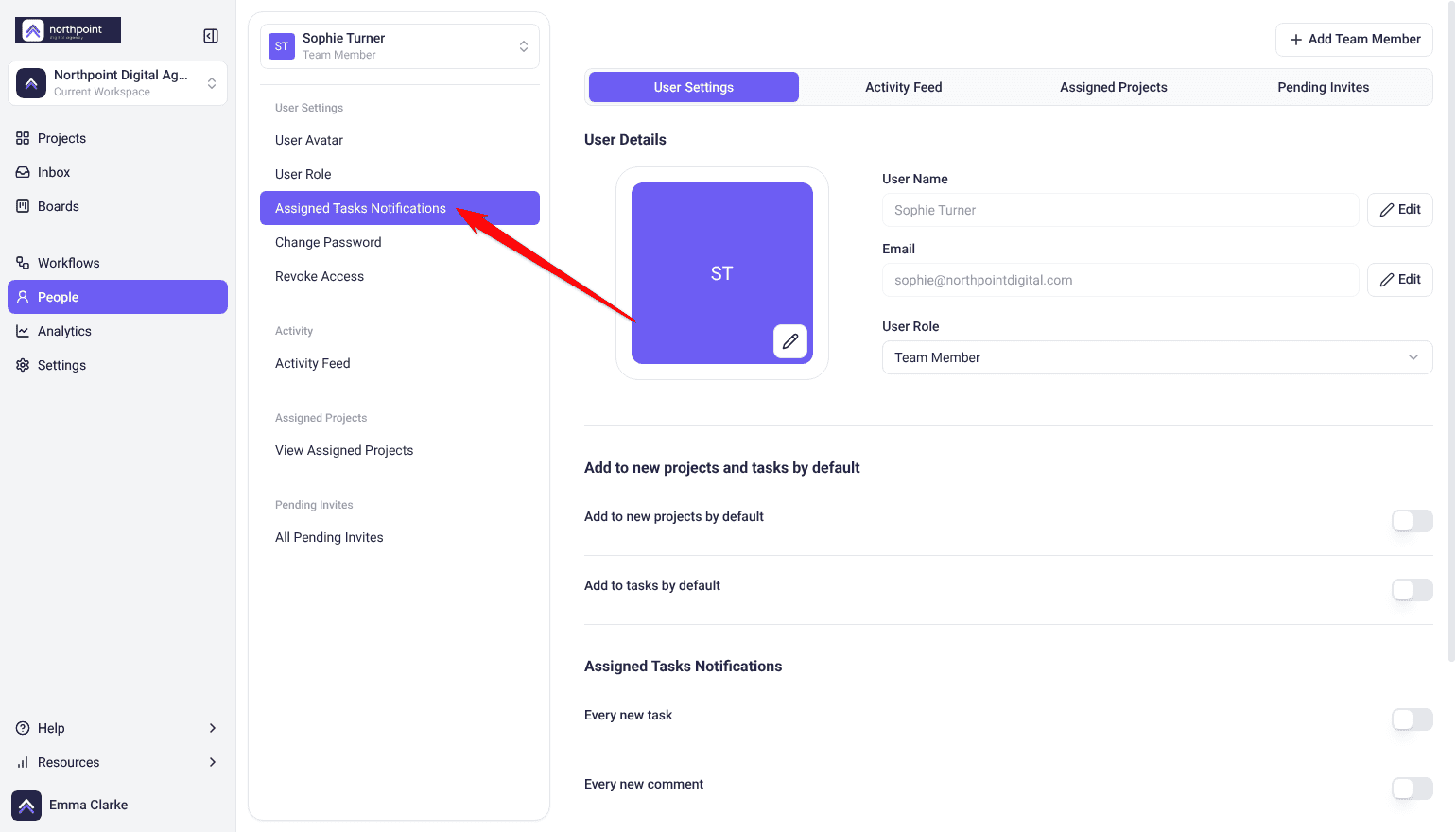
Notifications only speed things up if they reach the person who has to act. The workspace switches decide what everyone gets, and each person can choose the emails they get about tasks assigned to them.
Instructions:
- Open Settings → Notifications under the Communication group.
- Switch on the emails you want the workspace to send. These switches apply to everyone on the workspace.
- Ask team members to check Assigned Tasks Notifications in their profile, which sets the emails they get about tasks assigned to them.
6. Connect the Tools Your Team Lives In
A task nobody sees is a task nobody does, so push them into the tools your team already has open.
Instructions:
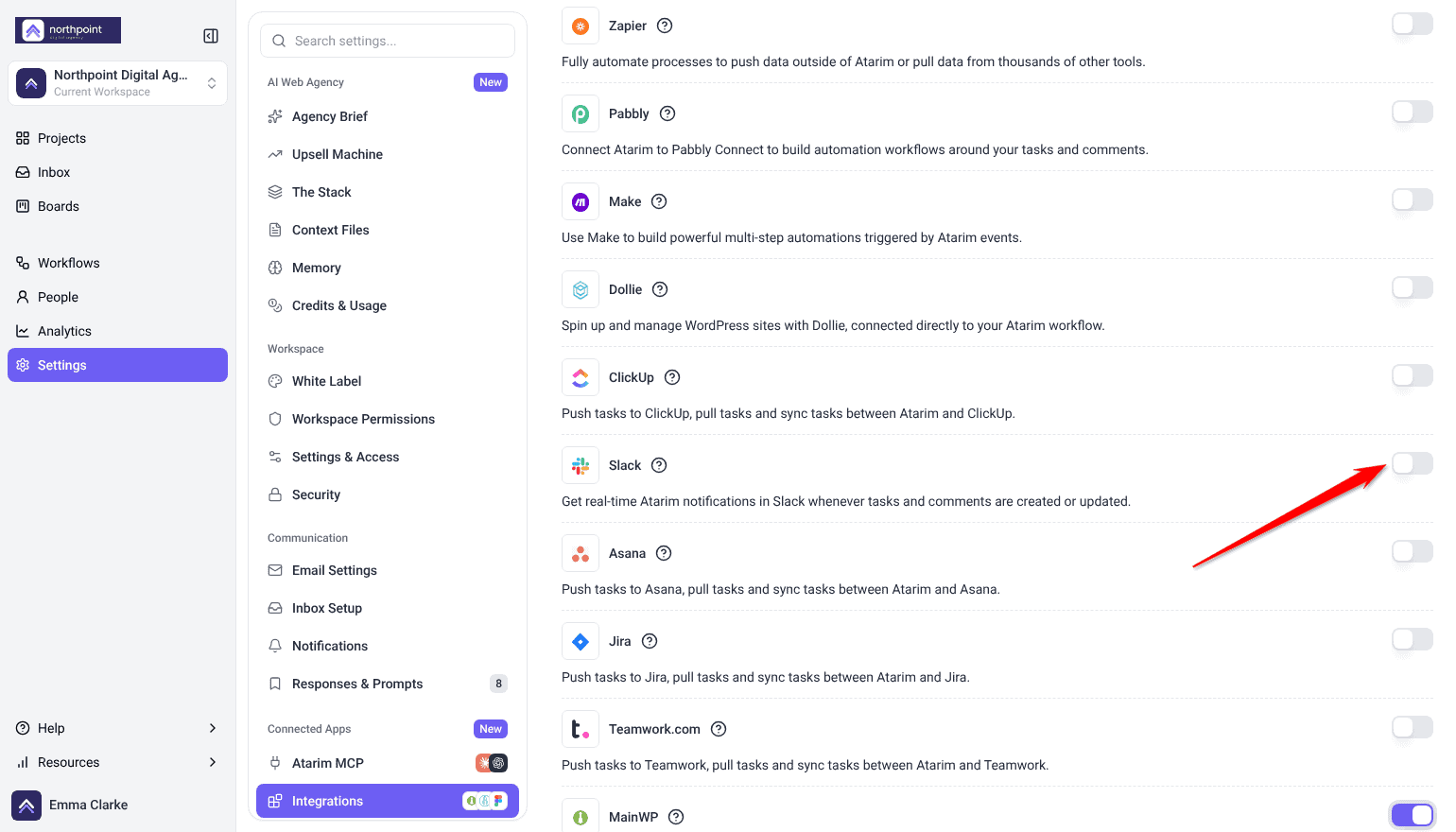
- Go to Settings → Connected Apps → Integrations.
- Connect Slack, Jira, Asana or whichever tools apply.
- Test that tasks and updates sync as expected.
FAQs
Can clients see internal tasks?
No. Internal tasks are visible to your team only, and they don’t send notification email.
Are team members notified immediately when feedback arrives?
No. Notifications go out once a project has had 15 minutes with no new activity, so a burst of comments arrives as one notification rather than many.
How do I keep feedback organized across projects?
Use workspaces, folders and boards so each project stays separate and prioritized.
What’s the fastest way to cut a review round?
Run an AI review before handover. Fixing the obvious issues privately means the client’s round is about the work itself.
Do reviewers need the Chrome extension?
No. It’s for your team, particularly on staging sites and pages behind a login.
Why didn’t a stage change notify the client?
A client who has an Atarim account and is on the project is emailed like anyone else assigned to it — creating or completing a stage sends an email, and so do the due-date reminders. A client reviewing through a share link without an account is not emailed at all, so tell them directly.
Common issues
- A reviewer says clicking does nothing — Comment mode isn’t on.
- Notifications feel delayed — expected. They’re sent once a project has been quiet for 15 minutes.
- One person isn’t getting updates — check Assigned Tasks Notifications in their profile, then the workspace switches in Notifications.
- Feedback keeps needing clarification — run an AI review before handover so the obvious issues are already fixed.
- Clients keep asking for status — share project stages, and tell them when one changes.
- An integration isn’t in the workflow list — connect it and switch it on in Settings first.
Conclusion
Faster loops come from removing round trips: comment on the element rather than describing it, fix the obvious things before handover, and make sure the right people actually hear about what’s waiting on them.
The highest-leverage habit is running an AI review before the client sees the work. A round you never have to run is faster than any round you run well. Discover Reducing Feedback Cycles With Visual Collaboration
Tips & best practices
- Onboard new reviewers properly — start with Comment mode.
- Run an AI review before every client handover.
- Use tags for what priority and status can’t express.
- Watch boards for tasks that have stopped moving.
- Enable only the notifications people will act on.
- Keep internal discussion in internal tasks.